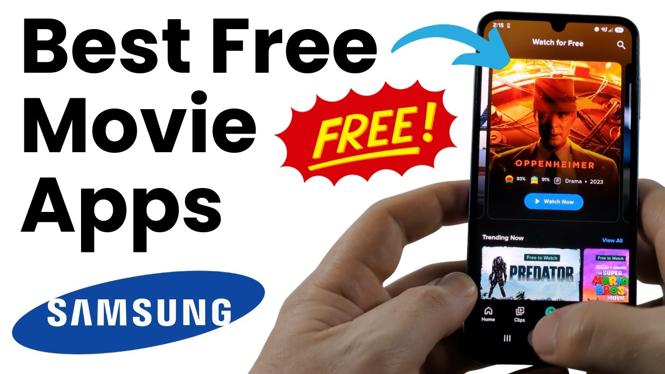
You can watch full-length movies on a Samsung phone without adding another monthly subscription. The apps in this guide are available through the Play Store and offer free movies legally. Some let you start watching without an account, while Plex requires you to sign in before you can browse its free catalog.
The selection changes over time, so a title shown in an app today may not always be available later. These apps give you several places to check for movies, shows, live TV, indie releases, and larger film titles.
Video Tutorial
Free movie apps to install on your Samsung phone
Start by opening the Play Store on your Samsung Galaxy phone and searching for each app by name. Be careful with Fandango, because there is more than one Fandango app and only one of them is covered here for free movies.
-
Tubi
Tubi is the quickest option if you do not want to create an account. Open the app and scroll through the home page to see movies that are available to watch for free. The home page is enough to start browsing, so you can pick something and begin watching without a sign-in step.
-
Plex
Plex has free movies and TV shows. When you first open Plex, create an account and log in. Then select On Demand from the bottom navigation. At the top, select Free to Watch. This filters the catalog to movies you can watch for free. Plex is also a useful app to check if you are outside the United States, since its free viewing options are presented as available in locations around the world.
-
Falsum
Falsum is another free option that does not require an account. Its browsing layout separates titles by genre, which makes it useful when you already know the type of movie you want. Along with movies, it includes free live TV. Browse the categories to find films, including recognizable titles.
-
Fandango Movies in Series
Search Fandango carefully in the Play Store. Do not use the Buy Movie Tickets app for this purpose. Scroll through the Fandango search results until you find Fandango Movies in Series. Open that app, then select Free. You will be taken to the movies available to watch at no cost, including some well-known releases.
-
Films
The Films app offers free movies and should work around the world, making it a good one to try if you are outside the United States. Its catalog includes many indie and international movies. You may not recognize every title, but that is part of the appeal if you want something different from the usual major studio choices.
-
YouTube
YouTube also includes free movies, and you do not need YouTube Premium to watch them. From the YouTube home page, look for the top menu. If it is not visible, scroll down a little. Select the small circle with a diamond icon, then choose Movies and TV from the menu. At the top of that screen, select Free or Free with Ads. You will then see movies that are available to watch for free on YouTube.
Pick the right app for what you want to watch
Tubi is a simple first choice because you can browse immediately without making an account. Falsum is useful when you want genre categories or free live TV. Choose Plex if you also want free TV shows and do not mind creating an account.
Use Fandango Movies in Series when you want to check its free section for larger movie titles. Try Films when you want indie or international movies. YouTube is worth checking because the Movies and TV section is built into an app you may already have installed on your Samsung phone.
How to find free titles faster
Do not assume every title displayed in an app is free. Use the specific free filters where the app provides one. In Plex, use On Demand and then Free to Watch. In Fandango Movies in Series, select Free. In YouTube, open Movies and TV and choose Free or Free with Ads.
For apps without a required account, such as Tubi and Falsum, open the home page and browse the available rows and genres. If you cannot find a movie in one app, check another before paying to rent it. Each service has a different catalog, so the same film may appear in one free section but not another.
A simple way to start
Install two or three of these apps instead of relying on only one. Start with Tubi for account-free browsing, YouTube for its built-in free movie section, and Plex if you also want TV shows. Add Falsum, Fandango Movies in Series, or Films based on the types of movies you prefer. That gives you more free choices on your Samsung phone without a subscription.
More Samsung Phone Tips & Tutorials:
 Subscribe Now! 🙂

Discover more from Gauging Gadgets
Subscribe to get the latest posts sent to your email.