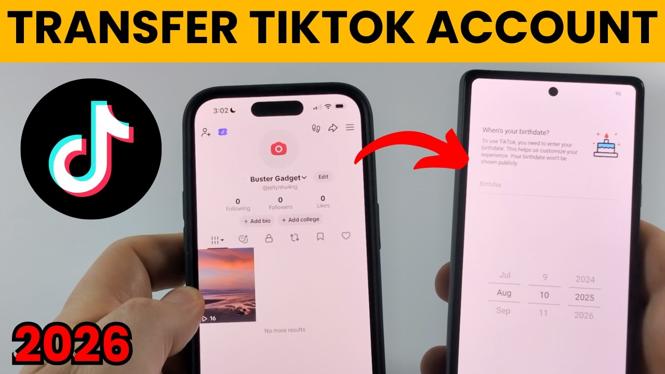
You do not need to create a new TikTok account when you switch phones. You can sign in to your existing account on the new device using the email address or phone number connected to it. Your followers, videos, and account settings remain with the account.
Before you start, check which email address or phone number your TikTok account uses on your old phone. This avoids trying the wrong sign-in option on the new phone.
Video Tutorial
Check the sign-in information on your old phone
Start in the TikTok app on the phone where you are already logged in. TikTok shows the account information you need from the settings area.
- Open TikTok on your old phone.
- Select Profile.
- Select the three lines in the top-right corner.
- Choose Settings and privacy.
- Select Account.
- At the top of the screen, select Account information.
- Check the phone number or email address used to set up your TikTok account.
Keep this information available while setting up TikTok on the new phone. The sign-in method matters. If your account uses a phone number, use the phone-number sign-in option. If it uses an email address, use the email or username option.
Log in to TikTok on your new phone
Install and open TikTok on the new phone. At the bottom of the screen, select Log in. Do not choose an option that creates a separate account if your goal is to use the same TikTok profile.
Then use the sign-in choice that matches the account information you checked on the old phone.
- Open TikTok on the new phone.
- Select Log in at the bottom.
- If your account uses a phone number, select Phone number.
- Enter the phone number connected to your TikTok account and continue signing in.
- If your account uses an email address, select Continue with email or username.
- Enter the email address used for your TikTok account.
- Enter your TikTok account password.
Once the sign-in is complete, TikTok logs your existing account into the new phone. You should see your usual profile, including the videos and followers connected to that account.
If you do not know your TikTok password
You can reset the password from the login screen. This is useful if you know the email address or phone number on the account but cannot remember the password.
- Begin the login process on the new phone.
- Select Forgot password when TikTok asks for your password.
- Follow the on-screen steps to reset it.
- Choose the available recovery method, such as an email sent to the email address on the account or a text sent to its phone number.
- Use the reset process to set a password, then return to the login process if needed.
You need access to the email inbox or phone number connected to the TikTok account to complete this recovery method. Check the account information on the old phone first if you are not sure which one TikTok uses.
Check that the correct account is on the new phone
After logging in, open Profile on the new phone and make sure it is your existing account. Check that the profile details and content match what you normally see on the old phone.
It is a good idea to confirm this before logging out of TikTok on the old phone. Keeping the old phone signed in until you have confirmed access on the new one gives you a way to check the account information again if you need it.
Log out of TikTok on the old phone
When the account is working properly on the new phone, you can sign out of the old device if you no longer need access there.
- Open TikTok on the old phone.
- Select Profile.
- Select the three lines in the top-right corner.
- Choose Settings and privacy.
- Scroll all the way to the bottom of the page.
- Select Log out.
Logging out on the old phone does not remove your TikTok account. It only signs that device out. Your account remains available on the new phone as long as you signed in with the correct email address or phone number and password.
Quick checklist before you switch phones
- Check the email address or phone number in Account information on the old phone.
- Use the matching login option on the new phone.
- Use Forgot password if you need to reset your password through your account email or phone number.
- Confirm your profile is correct on the new phone before signing out of the old one.
- Use Log out in Settings and privacy on the old phone when you are finished.
More TikTok Tips & Tutorials:
 Subscribe Now! 🙂

Discover more from Gauging Gadgets
Subscribe to get the latest posts sent to your email.