Switch to a professional account first
You cannot use Instagram’s professional monetization tools from a personal account. The first step is changing your profile to a professional profile, then choosing the account type that fits a creator who wants to earn from content.
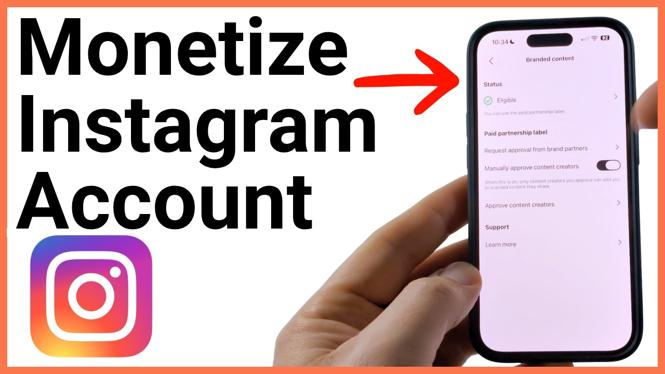
This change also gives you access to insights, professional tools, and a place to check your monetization status. After switching, you can see which earning features your account is currently eligible to use. One feature shown in this process is branded content, which lets you add a paid partnership label to sponsored posts.
Keep in mind that changing account types does not automatically make every monetization feature available. Use the Professional Dashboard to review your current status after you complete the setup.
Video Tutorial
Change your Instagram account to a professional profile
- Open the Instagram app and select your profile icon.
- Select the three lines in the top-right corner to open the menu.
- Scroll down near the bottom of the menu and select For professionals.
- Select Account type and tools.
- Choose Switch to professional account.
- Select Next when Instagram explains that a professional account provides insights and earning options.
- Choose the category that best describes your account. For example, search for and select Digital Creator if that fits your content.
- Choose whether to display that category on your profile.
- Select Switch to professional profile.
- Choose Creator as your professional account type.
The Creator option is the appropriate choice here for influencers and people creating content to monetize an Instagram account. The Business option is more suited to accounts that need to show business details, such as an address.
Instagram may offer profile-completion steps after the switch. You can go through those steps or exit them. When the change is complete, your selected category, such as Digital Creator, can appear on your profile if you chose to display it.
Check your Instagram monetization status
Once your account is a professional profile, open the menu from your profile again by selecting the three lines in the top-right corner. You should now see professional options, including Your insights and tools.
- Open Instagram and go to your profile.
- Select the three lines in the top-right corner.
- Select Professional dashboard.
- Scroll down to the Monetization section.
- Review your current monetization status.
This area is where you can check your eligibility for the monetization items available to your account. Eligibility can determine when you can use specific earning features, so this is the section to revisit after switching to a professional profile.
If an option is not available yet, your dashboard status is still the right place to check. Do not assume that selecting Creator enables every earning feature immediately. First, confirm what Instagram shows for your account.
Label sponsored posts as branded content
Professional accounts can use Branded content for sponsored posts. In the demonstrated account, branded content is available because the account is eligible. When you have a sponsored post, you can add a paid partnership label and select the sponsor for that post.
- Open the sponsored post you want to update.
- Select the three lines in the top-right corner of the post.
- Scroll down and select Edit.
- At the bottom of the editing screen, select Add a paid partnership label.
- Select the sponsor for the branded content.
Use this label for posts that are part of a paid partnership. It identifies the post as branded content and associates it with the sponsor you select.
What to check after setup
After you switch to a Creator account, verify that you can open the Professional dashboard and see the Monetization section. Then check whether Branded content is available for your account.
For sponsored content, use the paid partnership label from the post editing screen instead of leaving the sponsorship unmarked. This keeps your paid partnership information attached to the post itself.
Your professional profile is now set up for Instagram’s creator tools. From there, use the dashboard to monitor your monetization status and use branded content labeling when you publish sponsored posts.
More Instagram Tips & Tutorials:
 Subscribe Now! 🙂

Discover more from Gauging Gadgets
Subscribe to get the latest posts sent to your email.