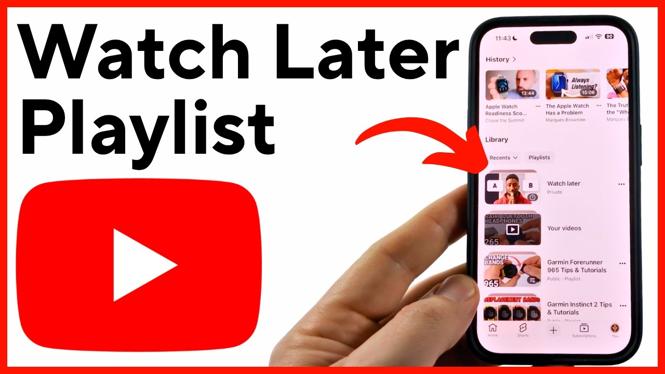
Your saved videos are in the Watch Later playlist, but YouTube can place that playlist lower in your Library when you have several playlists. You can find it from the You tab in the YouTube app on iPhone, Android, and Samsung phones.
Open Watch Later from the YouTube app
- Open the YouTube app on your phone.
- Select You in the bottom menu.
- Look under the Library section.
- Select Watch Later to open your saved videos.
The Watch Later playlist shows the videos you previously saved to watch at another time. From there, you can browse the list and choose the video you want to play.
Video Tutorial
Scroll through your playlists if Watch Later is missing
Watch Later may not appear at the top of the Library section. This is common if you have created or saved multiple playlists in YouTube. It does not necessarily mean the playlist was removed.
While you are in You, scroll down through the playlists listed under Library. Look for the playlist named Watch Later. YouTube may place it below other playlists, so keep scrolling until you find it.
This is the main place to check when you need to find videos you saved earlier. You do not need to search for each saved video again. Opening Watch Later brings your saved list back together in one playlist.
Move Watch Later closer to the top
If you use Watch Later often, adding a new video to it can move the playlist to the top of your Library list. This makes it faster to find the next time you open YouTube.
- Go to Home in the YouTube app, or find any video you want to save.
- Select the three dots next to that video.
- Select Save to Watch Later.
- Go back to You in the bottom menu.
- Check the Library section again.
After you add the video, Watch Later should appear first in the list of playlists in your Library. This is helpful when your Library contains many playlists and you do not want to scroll every time.
What to check when you cannot find saved videos
First, make sure you are looking in the correct area. The path shown here is You, then Library, then Watch Later. The playlist is not located on the Home feed.
Next, scroll through the playlist list instead of only checking the first few entries. Watch Later can be farther down when other playlists are listed above it.
If you want easier access going forward, save one more video using the three dots menu and Save to Watch Later. Then return to You and look under Library. This can bring Watch Later to the first position, making your saved videos much easier to reach.
Quick path to remember
To find your Watch Later playlist on YouTube, open the app and tap You at the bottom. Under Library, select Watch Later. If it is not near the top, scroll through your playlists. Add another video with Save to Watch Later if you want the playlist to move to the top of the list.
More YouTube Tips & Tutorials:
 Subscribe Now! 🙂

Discover more from Gauging Gadgets
Subscribe to get the latest posts sent to your email.