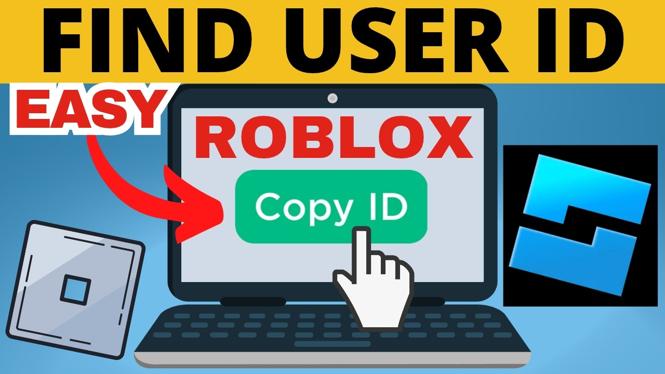
Get the Number From a Roblox Profile
A Roblox user ID is the numeric identifier assigned to an account. It is different from a username. Usernames can be changed, but the user ID is the number tied to that account.
The quickest way to find it is to open the account’s profile in a browser and copy the numbers shown in the profile URL. You can use this method for your own account or another player’s account when you can access their profile page.
Video Tutorial
Find a Roblox User ID in the Profile URL
Roblox places the account ID directly in the web address for a user’s profile. You do not need to use account settings or install anything to check it.
- Open a browser and go to Roblox.com.
- Log in if needed.
- Open the profile for the player whose ID you need. To find someone, use the search at the top of Roblox and select their name. If they are on your friends list, you can also select them there.
- Check that you are on the profile page that displays that player’s name.
- Select the browser address bar to view the full profile URL.
- Copy the numbers shown in that URL. Those numbers are the Roblox user ID.
Save or paste only the numeric portion when a game, group, support form, or Roblox Studio request asks for a user ID. Do not copy the entire profile URL unless the place you are pasting it specifically asks for a link.
Use the Roblox User ID Finder Instead
If reading the number from the address bar is inconvenient, you can use the Roblox User ID Finder shown in the video. This option can look up the ID from either a profile URL or a username.
- Copy the full Roblox profile URL, or note the player’s username.
- Open convertresize.com in your browser.
- Choose Gaming.
- Select Roblox User ID Finder.
- Paste the profile URL into the tool. You can type the username instead if you do not have the URL.
- Select Find ID.
- Wait for the result, then copy the user ID displayed by the tool.
This is useful when you want a clear result without picking the number out of a longer URL. It also helps if someone gives you only a Roblox username instead of a direct profile link.
Username vs. User ID
It is easy to mix up a username and a Roblox user ID because both identify a player. They are not interchangeable.
- Username: The name shown on a Roblox profile. You can search for it and it may be changed by the account owner.
- User ID: The numeric account identifier found in the profile URL or returned by the ID finder.
If a request specifically says “user ID,” enter the numbers only. Entering a username when a numeric ID is required can cause the request to fail or point to the wrong type of information.
Make Sure You Copied the Right ID
Before sharing or using an ID, return to the profile page and check the displayed player name. This matters most when you searched for a name with similar spelling or selected a result from a list.
Also make sure you copied the number from the profile page for the intended account. A Roblox profile URL can contain other text, but the numeric part identified in the address bar is the user ID. If you use the finder tool, compare its result with the profile you opened so you know it belongs to the same player.
Common Issues
If you cannot locate a player, try searching their username again and select the correct name from the Roblox search results. If you already have a profile open but do not see the full address, select the address bar so the complete URL is visible.
If you have a profile URL but are unsure which numbers to use, paste the URL into the Roblox User ID Finder and select Find ID. If you only know the username, type it into the same tool to retrieve the numeric ID.
Keep the ID focused on the task that requires it. It identifies a Roblox account, so double-check the profile before using it for groups, games, support requests, or Roblox Studio.
More Roblox Tips & Tutorials:
 Subscribe Now! 🙂

Discover more from Gauging Gadgets
Subscribe to get the latest posts sent to your email.