How to Cancel Uber One Subscription in Uber Eats App
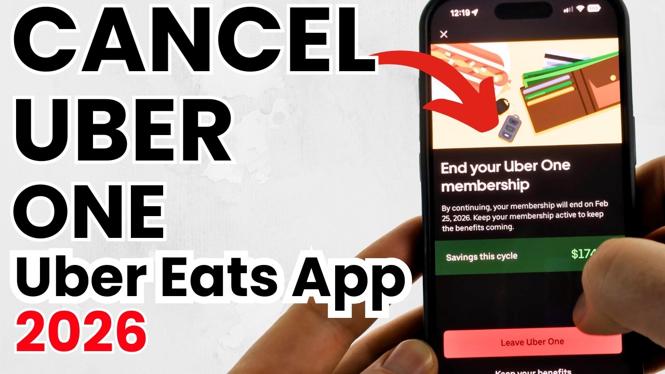
If you’re looking for a way to manage your subscriptions effectively, you may be considering canceling your Uber One membership through the Uber Eats app. This process can seem daunting if you’re not familiar with the app’s features or if you’re uncertain about how to navigate the interface. Whether you’re looking to cut down on expenses, or you’re simply no longer using the service enough to justify the subscription fee, this guide will provide you with the detailed steps needed to cancel your Uber One subscription quickly and easily.
Video Tutorial
Why You Might Be Looking for This Tutorial
Many users find themselves reevaluating their subscriptions in light of changing lifestyles or financial priorities. The Uber One subscription may have offered you benefits like free delivery and discounts on orders, but circumstances can change. Perhaps you’ve decided to use other food delivery services, or you’re looking to reduce your monthly spending. Whatever the reason, being equipped with the knowledge of how to cancel your Uber One membership is essential for managing your finances effectively. This tutorial will guide you through the cancellation process step by step, ensuring you can do so with confidence and ease.
Steps to Cancel Uber One Subscription in Uber Eats App
- Open the Uber Eats App: Launch the Uber Eats app on your iPhone, Android, or Samsung device.
- Access the Account Settings: Tap on the ‘Profile’ icon located in the bottom right corner of the screen.
- Select ‘Uber One’: Scroll through the options and find ‘Uber One’. Tap on it to access your membership information.
- Tap on ‘Manage Membership’: Within the Uber One section, look for the option to manage your membership. This will display your current subscription details.
- Choose ‘Cancel Membership’: Follow the prompts to proceed with the cancellation. You may be asked to confirm your decision.
- Confirmation: After completing the cancellation, ensure that you receive a confirmation notification or email indicating your membership has been successfully canceled.
By following these straightforward steps, you can successfully cancel your Uber One subscription directly from the Uber Eats app and take control of your subscription expenses.
More Cancel Subscriptions Tips:
 Subscribe Now! 🙂

Discover more from Gauging Gadgets
Subscribe to get the latest posts sent to your email.