Check the Roku Account From Your TV Settings
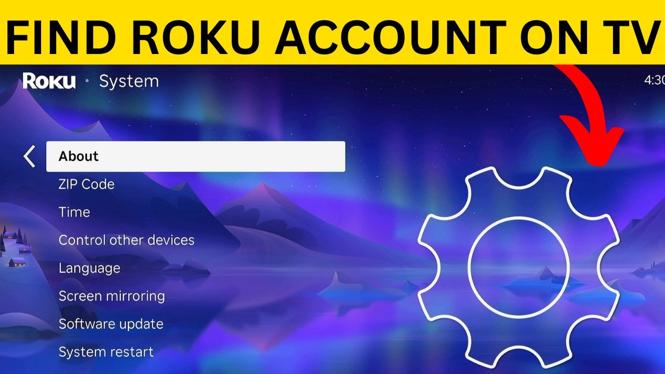
If you need to confirm which Roku account is signed in on your Roku TV or Roku Streaming Stick, you can check it directly from the device. The account details are listed in the About section of the Roku system settings.
This is useful if you are setting up the TV, checking an email address before making account changes, or confirming that the device is connected to the correct Roku account. You do not need to sign out or open a channel to see the account information.
Video Tutorial
How to Find the Account Logged In on Roku TV
Start from the Roku home screen. You will use the directional pad on your Roku remote to open the left-side menu and navigate to the system information page.
- From the Roku home screen, press Left on your remote to open the menu.
- Scroll down and select Settings.
- Scroll to the bottom of the Settings list and select System.
- Select About.
- Look near the bottom of the About screen for the Roku account details.
The screen shows the name and email address for the Roku account currently signed in to that Roku TV or Roku Streaming Stick. Check the email address carefully, especially if more than one person in your home has a Roku account.
What the About Screen Tells You
The About screen is the place to verify the account connected to the device. The name shown there identifies the account holder, and the email address lets you confirm the specific Roku account in use.
This matters because the account on the device controls the Roku account connection for that TV or streaming player. If you expected to see a different email address, you have confirmed that the Roku is currently signed in with another account.
Use the email address as your main check. Names can be similar or shared by family members, while the email address is more helpful for identifying the exact account that is logged in.
Use This Check Before Changing Roku Account Details
It is a good idea to check the signed-in account before you make changes related to your Roku setup. For example, you may want to verify the account when the TV was previously used by someone else, when you are helping a family member with their device, or when you cannot remember which email was used during setup.
Following the path Settings, System, then About gives you a quick way to confirm the current account without guessing. You can return to the Roku home screen after you have checked the name and email address.
Roku TV and Roku Streaming Stick Steps Are the Same
The same on-screen path works when you are using a Roku TV or a Roku Streaming Stick. Begin at the home screen, open the menu on the left, then go to Settings, System, and About.
Once you reach the About page, do not look for a separate account menu. The account name and email address are shown with the device information on that screen. Scroll through the page as needed until you can see the account details near the bottom.
Quick Path to Remember
When you need to find your Roku account on TV again, use this path:
Home screen > Left menu > Settings > System > About
The name and email address displayed near the bottom of the About page belong to the Roku account currently logged in on the device.
More Roku Tips & Tutorials:
 Subscribe Now! 🙂

Discover more from Gauging Gadgets
Subscribe to get the latest posts sent to your email.