
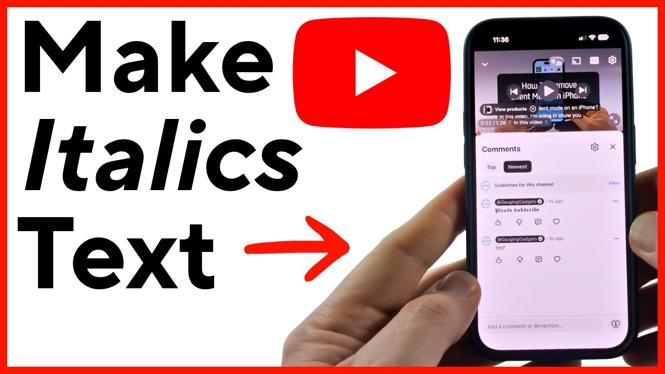
You can make italics text in a YouTube comment by putting an underscore before and after the word or phrase. For example, typing _test_ in your comment turns “test” into italics after you post it. This works in the YouTube app on iPhone and Android, and in YouTube through a web browser on your computer.
Add Italics With Underscores
Underscores are the quickest way to add emphasis to part of a YouTube comment or reply. You do not need to change a setting in YouTube or install anything. Type the formatting characters directly into the comment field.
- Open the YouTube video where you want to leave a comment.
- Go to the comments section and start typing your comment.
- Place an underscore immediately before the text you want in italics.
- Type the word or phrase you want to emphasize.
- Add another underscore immediately after that text.
- Post the comment.
For example, you could write: This part is _important_. After you send the comment, “important” appears in italics.
You can use this formatting in a full comment or a reply to another commenter. It is useful when you want to stress a short word, highlight a title, or make one part of a longer reply easier to spot.
Video Tutorial
Type the Formatting Correctly
The opening and closing underscore need to surround the same text. Keep each underscore right next to the first and last character you want italicized. If you only add one underscore, YouTube does not have a matching character to apply the formatting.
Here are a few examples of the pattern:
- _Great video_ makes the whole phrase italic.
- I _really_ liked this. makes only “really” italic.
- Try _this tip_ first. makes the selected words italic.
Check your comment before you post it. Make sure there is one underscore at the beginning and one at the end of every section you want to format. If the comment does not look right after posting, edit it and check that neither underscore is missing.
Use TextTrick for Other Text Styles
You can also use the free TextTrick.com website if you want to paste a different text style into a YouTube comment. This method gives you options beyond the underscore formatting used for italics.
- Open TextTrick.com.
- Type the text you want to use in your YouTube comment into the text box.
- Scroll down to see the available font options.
- Select the font style you want to use. Selecting it copies the text.
- Return to YouTube and paste the copied text into your comment or reply.
- Review the pasted text, then send your comment.
This is helpful when you want a text style that is different from standard italics. Since you paste the selected text into YouTube, you can combine it with your regular comment text before posting.
When to Use Italics in YouTube Comments
Italics work best in short sections. Use them for emphasis rather than formatting every line. A comment with one italicized word is usually easier to read than one where every sentence has special styling.
You might italicize a key reaction, a video title, a correction, or a phrase you want other viewers to notice. For example, “That was _really_ helpful” places attention on the reaction without changing the rest of the comment.
The underscore method is the simplest choice when you only need italics. TextTrick is an alternative when you want to copy and paste another available font style into your YouTube comment.
More YouTube Tips & Tutorials:
 Subscribe Now! 🙂


Discover more from Gauging Gadgets
Subscribe to get the latest posts sent to your email.