Cancel your Audible membership from the app
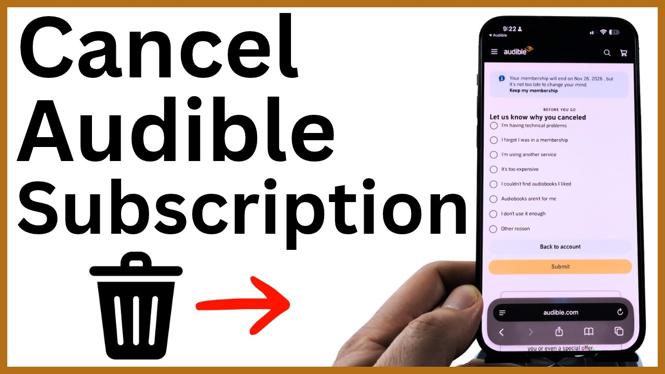
You can cancel an Audible membership from the Audible app on an iPhone, Android phone, or Samsung phone. The cancellation controls are in your profile’s membership area. You will need to continue through two cancellation screens, then confirm that the membership has an end date.
Canceling stops future recurring charges. Your membership remains active until the end date shown in the final confirmation. You can still use Audible for the rest of that active period, and audiobooks you already own stay in your library.
Video Tutorial
How to cancel an Audible membership subscription
- Open the Audible app on your phone.
- Select Profile from the bottom menu.
- At the top of the Profile page, select Membership.
- Find your current membership and select Manage next to it.
- Select Cancel Membership. Do not choose the pause option if you want the membership to end instead of restarting later.
- Scroll to the bottom of the cancellation page and select Continue to Cancel.
- Review the next screen, which shows your current plan. Scroll to the bottom again.
- Select Confirm Cancellation to finish the process.
Check that the cancellation went through
The last screen is the important part. Audible displays a message stating that your membership will end on a specific date. This confirms that the cancellation was submitted and that you will no longer be charged after the current membership period ends.
Do not rely only on reaching the first cancellation page. You must select Continue to Cancel and then complete the final confirmation. If you exit before that last step, your membership may still be active.
You may also see an option to provide a reason for canceling. This is optional. You can provide a reason if you want, or return to your account without entering one after the cancellation confirmation appears.
What happens after you cancel Audible
Your membership does not necessarily end the moment you cancel it. Instead, Audible shows the date when access will end. You can continue using the membership until that date.
After the membership end date, you lose access to the Audible membership benefits. However, audiobooks that you already own remain in your Audible library. Canceling the membership stops the recurring subscription, not access to books you purchased or otherwise own.
Keep an eye on the end date shown during confirmation. That date tells you how long you have left in the current membership period and gives you a clear record that the recurring plan was canceled.
Pause versus cancel membership
On the Manage page, Audible may offer both a pause option and a cancellation option. These are different choices.
Pausing temporarily stops the membership charges, but the membership automatically starts again later. It can be useful if you only need a break. Choose Cancel Membership if you do not want the plan to automatically resume and you want to end the recurring subscription.
If your goal is to prevent another charge without having the membership restart on its own, continue through the cancellation flow until you see the membership end date and final cancellation confirmation.
If you do not see the cancellation confirmation
Go back to Profile, then Membership, and check your membership details again. Look for the end date or the message that confirms the membership is scheduled to end. If you still see an active plan without an end date, return to Manage and complete the cancellation steps.
It is also easy to confuse a paused membership with a canceled one. A pause has a future restart, while a cancellation shows the date that your membership ends. Confirm the status before closing the app so you know recurring Audible charges will stop.
More Cancel Subscription & Free Trial:
 Subscribe Now! 🙂


Discover more from Gauging Gadgets
Subscribe to get the latest posts sent to your email.