How to Turn Off Professional Account on Instagram
If you’ve been using a professional account on Instagram but are now looking to switch back to a personal account, you’re not alone. Many users might find that a business or creator account doesn’t fit their needs anymore. Whether it’s due to privacy concerns, a desire for a simpler profile, or the intention to step back from marketing efforts, this tutorial will guide you through the process of turning off your professional account without losing any of your valuable content.
Video Tutorial
Why You Might Be Looking for This Tutorial
There are several reasons users decide to switch back to a personal account on Instagram:
- Privacy Concerns: A personal account allows you to keep your content more private and control who sees your posts.
- Simplification: If you’re no longer needing business tools, a personal profile can simplify your Instagram experience.
- Reduced Pressure: Stepping back from engagement metrics and insights can be liberating, allowing you to enjoy Instagram for personal use again.
- A Change in Purpose: As your career or social media presence evolves, you may find that a personal account aligns better with your goals.
Steps to Turn Off Your Professional Account on Instagram
Follow these simple steps to revert your professional account back to a personal profile:
- Open the Instagram App: Launch the Instagram app on your mobile device.
- Go to Your Profile: Tap on your profile picture in the bottom right corner to access your profile.
- Access Settings: Tap the three horizontal lines in the top right corner, then select ‘Settings’ at the bottom of the menu.
- Select Account: In the Settings menu, tap on ‘Account.’
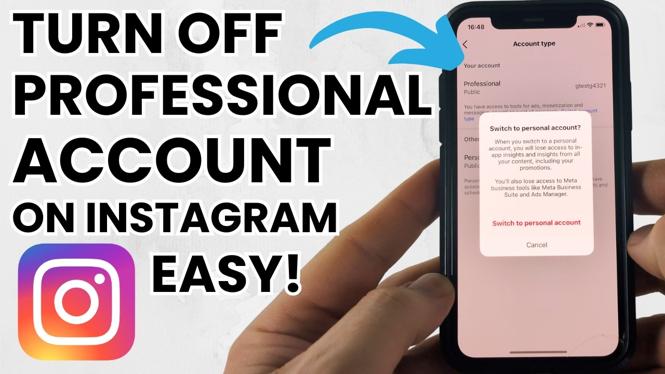
- Switch to Personal Account: Scroll down and select ‘Switch to Personal Account.’ You’ll see a prompt confirming your choice.
- Confirm the Change: Tap ‘Switch Back’ to confirm that you want to revert to a personal account.
Congratulations, you have successfully switched from a professional account to a personal account on Instagram. Your content will remain intact, and you can continue using the platform without the added features of a business or creator account.
Conclusion
Switching back to a personal account on Instagram is a straightforward process that doesn’t require any technical expertise. Whether it’s for privacy, simplicity, or a change in your social media strategy, following the steps in this tutorial will help you regain control of your Instagram experience. If you have any questions or need further assistance, feel free to leave a comment below.
More Instagram Tutorials:
 Subscribe Now! 🙂

Discover more from Gauging Gadgets
Subscribe to get the latest posts sent to your email.