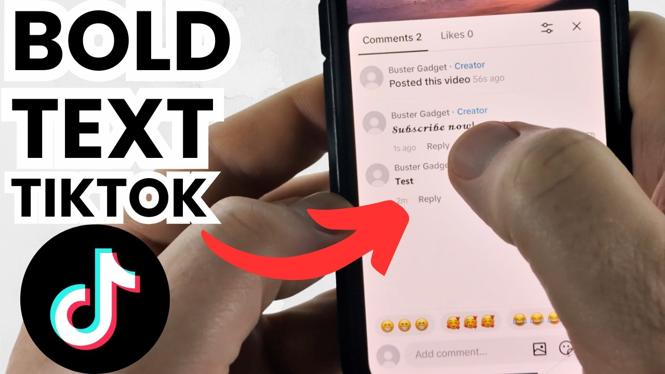
You cannot turn on a bold setting inside the TikTok comment box. Instead, create your comment in a bold text style first, copy it, then paste it into TikTok. TextTrick gives you several bold and decorative text options to choose from.
This same method can also create italic, cursive, and other font styles for your TikTok comments. The process is quick once you know where to copy the styled text.
Video Tutorial
Create bold text for a TikTok comment
- Open a web browser on your phone, tablet, or computer.
- Go to text trick.com, also known as TextTrick.
- Type the comment you want to post into the text field on the site.
- Scroll down through the available font styles. TextTrick shows multiple versions of your words, including different bold styles.
- Find the bold text style you want to use.
- Select Copy next to that style. This saves the formatted version of your comment to your clipboard.
- Open TikTok and go to the video where you want to leave a comment.
- Open the comment field, then paste the copied text into it.
- Check that the pasted comment says what you want, then select Send to post it.
Your comment should now appear in the bold style you copied. The text is pasted as styled characters, so you do not need to change anything in the TikTok comment field itself.
Choose a bold style that is easy to read
TextTrick includes more than one bold option. Some styles look like standard bold lettering, while others are more decorative or resemble bold cursive writing. Before you copy one, read the full preview carefully.
A simple bold style works well for most comments. It makes a short reaction, question, or important part of your message more noticeable without making the comment difficult to read. Decorative styles can be useful too, but they may be harder to scan when your comment is longer.
Keep the comment short when using a stylized font. A few clear words will usually look better than a full paragraph in bold characters. If you want to emphasize only one word, type only that word into TextTrick, copy its bold version, then add it to the rest of your comment when you paste and edit the text.
Use the same tool for other TikTok comment fonts
You are not limited to bold text. After entering your words in TextTrick, scroll through the results to see the other font styles available. You can copy an italic style, cursive text, or another look using the same Copy button.
The TikTok part stays the same for every style. Copy the version you like, open the video comments, paste it into the field, and send it. Try a few previews before posting if you are deciding between styles.
Check your comment before sending
Take a moment to review the pasted text in TikTok. Make sure the words are complete and the font style is the one you selected. If you copied the wrong option, return to TextTrick, choose a different bold version, and copy it again.
You can also replace the text in the TikTok comment field and paste the updated version. This is useful when you want a cleaner bold style or when you need to fix a spelling mistake before the comment is posted.
Quick tip for better-looking comments
Use bold text to highlight the part of your comment that matters most. For example, you might bold a short answer, a name, or a key reaction instead of styling every word. This keeps the comment readable while still helping it stand out in the comment section.
Once you have a style you like, the workflow is always the same: type it in TextTrick, select Copy, paste it into TikTok, and select Send.
More TikTok Tips & Tutorials:
 Subscribe Now! 🙂

Discover more from Gauging Gadgets
Subscribe to get the latest posts sent to your email.