Download Valorant from the official Riot Games website
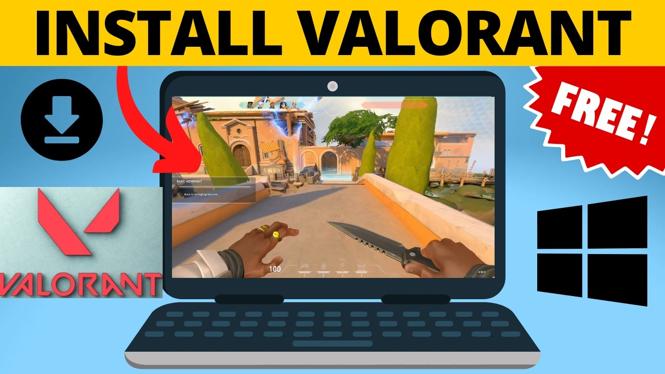
You can download Valorant for free on a Windows PC or laptop through the official Valorant website and Riot Games client. You need a Riot account, enough free storage for the game, and an internet connection for the download.
Valorant is about 27 GB, so the installation can take a while depending on your connection. Downloading from the official site also helps you avoid unsafe installers from third-party download pages.
Video Tutorial
Get the Valorant installer
- Open a web browser on your PC or laptop.
- Go to playvalorant.com, the official Valorant website.
- Select Play Now in the top-right corner, or choose Play For Free.
- Choose PC as your platform.
- Sign in with your Riot account. If you do not have one, create a Riot account first.
- Scroll to the Download the Game section and select Download.
- Save the Valorant installer to your computer.
Most browsers save the installer in your Downloads folder unless you selected a different location. Wait for the file download to finish before opening it.
Install the Riot Games client and Valorant
- Open the downloaded Valorant installer from your Downloads folder.
- If Windows asks, Do you want to allow this app to make changes to your device?, select Yes. This lets the official installer install the required files.
- Select Install to begin.
- Allow the Riot Games client to install when prompted. The Riot Games client manages Valorant, game updates, and your Riot account.
- If Windows asks about public access for the app, select Allow. This allows the client to communicate with the internet.
- When the Riot Games app opens, sign in to your Riot account if needed.
- Review the terms of service and select Accept if you agree.
After signing in, Valorant may appear near the top of the Riot Games app. If you do not see it, select Games, scroll until you find VALORANT, and select it.
Choose the install location
- On the Valorant page in the Riot Games app, select Install.
- Choose where you want Valorant installed. You can leave the default location selected if it has enough available space.
- Select Install again to start the game download.
- If Windows asks for permission to make changes to your device, select Yes.
The Riot Games app will download and install Valorant. Since the game is around 27 GB, keep your laptop plugged in if possible and avoid shutting down the computer while the installation is running.
If the download does not begin, make sure you are signed in to the Riot Games app and that your selected drive has enough free storage. You should also keep the app connected to the internet until installation finishes.
Restart your PC before playing
Once Valorant finishes installing, restart your computer before you try to launch the game. Use the Windows Start button, select the Power button, then choose Restart.
The restart is required before Valorant can run properly. Save any open work before restarting your PC or laptop.
Open Valorant for the first time
- After your computer restarts, look for the Valorant icon on your desktop.
- If there is no desktop icon, select the Windows Start button and search for Valorant.
- Open Valorant from the search results.
- Sign in to the Riot Games launcher if it asks you to log in.
- Select Play in Valorant.
When the game opens, complete the basic training to learn the controls and get started. After that, you can use the Riot Games client to open Valorant again and install future game updates.
What you need to remember
Use playvalorant.com to get the official installer, then install Valorant through the Riot Games app. Make sure you have about 27 GB of available storage, allow the requested installation permissions, and restart Windows after the install finishes. You can then search for Valorant from the Start menu or open its desktop shortcut to play.
More Windows 11 Tips & Tutorials:
 Subscribe Now! 🙂

Discover more from Gauging Gadgets
Subscribe to get the latest posts sent to your email.