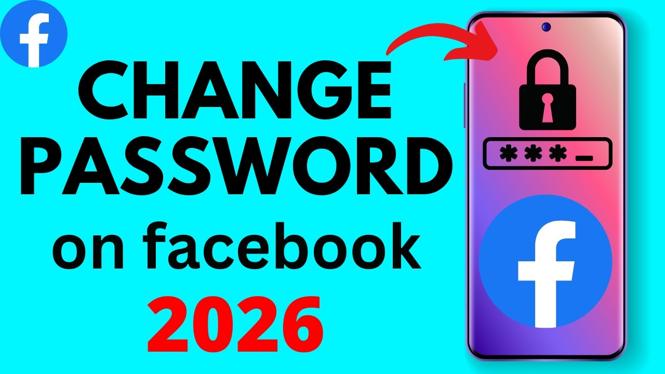
You can change your Facebook password from the Facebook mobile app on both iPhone and Android. The important part is finding the account settings area for password changes, then entering your current password and the new one you want to use.
Use a new password that you do not use for another account. That limits the damage if a password from a different service is exposed.
Video Tutorial
Change your Facebook password in the mobile app
- Open the Facebook app on your iPhone or Android phone and make sure you are signed in to the account you want to protect.
- Go to the app’s account settings. Look for the security or password settings for your Facebook account.
- Select the option to change your password.
- Enter your current Facebook password when prompted. Facebook uses this step to verify that you are the account owner.
- Type your new password, then type it again to confirm it. Check both entries carefully before saving.
- Save the change. Facebook should confirm that your password has been updated.
- Sign in again with the new password if Facebook asks you to do so. Use the new password anywhere else you access Facebook, such as another phone, tablet, or browser.
Choose a password you can keep secure
Your Facebook password should be unique. Do not reuse the password from your email, bank, shopping account, or another social media account. Reusing passwords means one leaked password can give someone a way into several accounts.
A longer password is usually easier to make strong. You can use a phrase made from several unrelated words and add numbers or symbols if you prefer. The key is choosing something you can enter correctly without making it easy for another person to guess.
Avoid using details that people may know from your profile or public posts. Your name, birthday, phone number, pet name, school, and common number patterns are poor choices. Also avoid saving the new password in an unprotected note on your phone.
If you cannot remember your current password
The normal password-change process requires your current password. If you do not know it, use Facebook’s account recovery or password reset option instead of repeatedly trying guesses. Repeated incorrect attempts can make it harder to get back into the account.
Start from Facebook’s sign-in screen or the password help option available in the app. Follow the verification steps Facebook provides for your account. You may need access to an email address, phone number, or another verification method already connected to Facebook.
After you reset the password, save the new one in a password manager or another secure place. This makes future sign-ins easier and reduces the temptation to reuse a weak password.
Check your account after changing the password
Changing the password is a good time to review your account security. Look through the devices and sessions connected to your Facebook account. If you see a phone, computer, location, or sign-in that you do not recognize, remove that session and secure the account right away.
You can also review the email address and phone number attached to the account. Make sure they are yours and that you can still access them. Recovery details are important if you ever get signed out or need to reset the password later.
If you changed your password because you think someone else accessed your account, do not stop after saving the new password. Check for unfamiliar profile changes, messages, posts, or linked account details. Change the password for the email account connected to Facebook too, especially if you used the same password there.
Keep the new password handy
Once Facebook accepts the new password, your old one no longer works for future sign-ins. Update any saved Facebook password on your other devices when they ask for it. If a device keeps filling in the old password, replace the saved entry with the new one rather than continuing to retry the old details.
You can change your Facebook password again whenever you need to. Use the same account security area in the Facebook app, verify your current password, and save a fresh one.
More Facebook Tips & Tutorials:
 Subscribe Now! 🙂

Discover more from Gauging Gadgets
Subscribe to get the latest posts sent to your email.