Clear Your Liked Videos Playlist on Mobile
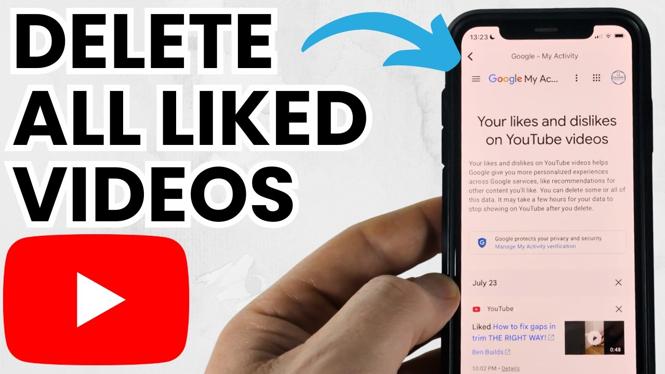
YouTube does not treat a liked video like a file you can delete from your phone. To remove it from Liked videos, you remove the like from that video. Once the like is removed, the video disappears from your Liked videos playlist.
On both iPhone and Android, the process is the same in the YouTube app. You can work through the playlist and remove each video you no longer want there. This is useful when your list has old clips, accidental likes, or videos you do not want associated with your account anymore.
Video Tutorial
Remove Videos From Liked Videos
- Open the YouTube app on your iPhone or Android phone.
- Make sure you are signed in to the YouTube account that contains the likes you want to remove. Your Liked videos playlist is tied to that specific account.
- Open your account area in the app, then open the Liked videos playlist.
- Find a video you want to remove. You can scroll through the playlist to reach older liked videos.
- Open that video’s options from the playlist, or open the video itself.
- Remove the video from Liked videos. In the video player, this means turning off the selected thumbs-up button. In playlist options, YouTube may present an option to remove the video from the Liked videos playlist.
- Confirm that the video is no longer shown in the playlist.
- Repeat the same action for every remaining video until the playlist is empty.
The important part is that the thumbs-up is no longer active for each video. A video can stay available on YouTube after you remove it from your likes. You are changing your own like, not deleting the creator’s upload.
Can You Delete All Liked Videos at Once?
The mobile YouTube app does not provide a single button that clears every item in your Liked videos playlist at once. You need to remove the videos individually. That can take time if you have years of likes, but it gives you control over which videos stay and which ones go.
Start at the top of the playlist and keep moving in one direction. Removing a video causes the list to update, so working from the currently visible items helps prevent you from losing your place. If you only want to clean up the list, remove a few videos at a time and leave useful ones liked.
If your goal is a completely empty playlist, continue until there are no videos left in Liked videos. Refreshing the playlist or leaving it and opening it again can help you verify that the list is clear.
What Removing a Like Changes
Removing a liked video affects your account’s Liked videos playlist. It does not remove the video from YouTube, delete it from the channel that uploaded it, or remove it from any separate playlist where you saved it.
For example, you might have a video in both Liked videos and a playlist you created. Removing the like clears it from Liked videos, but the copy in your other playlist can remain. If you want it gone from that other playlist too, remove it separately from that playlist.
You can always like a video again later. Open the video and tap the thumbs-up button. It will return to your Liked videos playlist for the account you are using.
If a Video Does Not Disappear
First, check that you removed the like while signed in to the correct account. This is a common issue when you use more than one Google or YouTube account on the same phone. Likes, playlists, and viewing activity are separate for each account.
Also give the app a moment to update after each change. If the video still appears, open it and check the thumbs-up button again. If it is still selected, turn it off. Then return to the playlist and check the entry.
Some videos may become unavailable because the uploader removed them or changed their access. Those entries are different from videos you personally liked. Focus on removing the active likes you can still open, then review the playlist again to see what remains.
Keep the List Easier to Manage
Liked videos can grow quickly because a tap on the thumbs-up button adds the video immediately. Before liking a video, decide if you want it in this long-term list or if you only want to support the creator. You can also use your own playlists for topics you plan to revisit, such as recipes, workouts, or repair guides.
Checking Liked videos occasionally makes a full cleanup much easier. Remove accidental likes as you notice them, and keep only the videos you genuinely want to save. That way, your Liked videos playlist stays useful instead of becoming a long list you need to clear later.
More YouTube Tips & Tutorials:
 Subscribe Now! 🙂

Discover more from Gauging Gadgets
Subscribe to get the latest posts sent to your email.