Cancel the trial before it renews
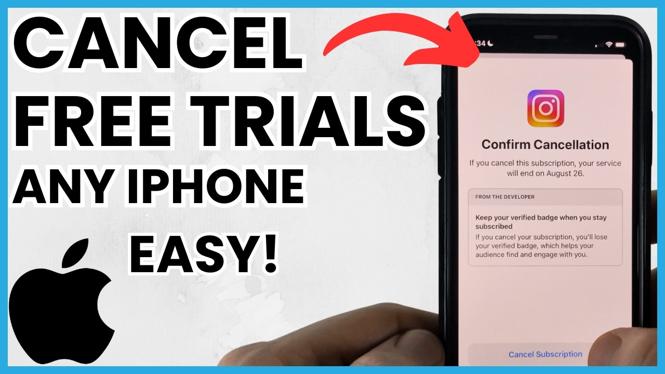
Free trials are useful until you forget they are running. If you started a trial through your Apple account, you can review it from your iPhone settings and cancel it before it turns into a charge. The same place lets you check subscriptions you already pay for.
The important part is to check the subscription details, not just delete the app. Removing an app from your iPhone does not tell you whether an active trial or subscription is still connected to your Apple account. Go to the subscription management area in Settings and review what is listed there.
Video Tutorial
How to cancel a free trial or subscription
- Open the Settings app on your iPhone.
- Find the subscription management section for your Apple account. This is where you can view and manage active subscriptions.
- Review the subscriptions shown on the screen. Look for the free trial or service you want to stop.
- Select that subscription to open its details.
- Use the cancellation option shown for that subscription and follow the on-screen prompts to confirm your choice.
- Check the subscription details again after confirming. Make sure the screen reflects the change you made.
Do this as soon as you decide you do not want to continue. You do not need to wait until the last day of a trial to look at it. Checking early gives you time to make sure you selected the right service and completed the cancellation.
Check every active subscription
Do not stop after cancelling one trial. Take a minute to scan the full list of active subscriptions linked to your Apple account. It is common to recognise a service you use regularly, then notice another one you started for a short test and no longer need.
Open each item you are unsure about and read the details before cancelling. This helps you avoid stopping a subscription you meant to keep. It also helps you identify trials that may renew soon.
If you have more than one subscription from the same type of service, check the name carefully. The subscription list is the place to confirm which specific plan or trial you are managing. Do not rely only on the app icon on your Home Screen or on which app you opened most recently.
What to check before you confirm
Before you finish, make sure you are viewing the correct Apple account and the correct subscription. If a service is not listed, do not assume it has been cancelled. First, check that you are looking at the subscriptions connected to the Apple account you used when you started the trial.
Then look at the subscription details for information about its current status. Your goal is to confirm that the free trial or subscription you wanted to stop is no longer set to renew. This is more reliable than assuming the cancellation worked because you removed the app.
Keep an eye on the name of the service throughout the process. If you use several similar apps, it is easy to select the wrong entry when you are moving quickly.
Make subscription checks a regular habit
You do not need to wait for a surprise charge to review subscriptions on iPhone. Check the list whenever you start a new free trial, sign up for a service, or decide you no longer use an app. A quick review in Settings can help you keep your Apple account organised.
It also helps to make a note when you begin a trial. Write down the service name and remind yourself to check your subscriptions again before the trial renews. Then return to the subscription management area on your iPhone and decide if you want to keep it or cancel it.
For any service you still want, leave it active and review it later. For anything you no longer need, use the cancellation option in its subscription details. This keeps your active subscriptions easier to understand and helps you avoid unwanted renewal charges.
More iPhone Tips & Tutorials:
 Subscribe Now! 🙂

Discover more from Gauging Gadgets
Subscribe to get the latest posts sent to your email.