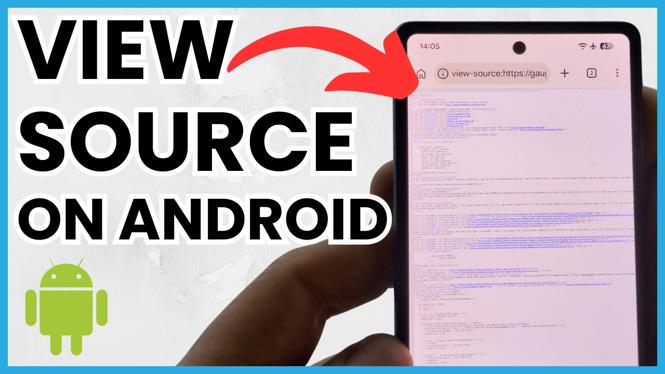
How to View Website Page Source on Android Phone
In today’s digital landscape, having access to website page source code on the go can be an invaluable skill. Whether you are a web developer seeking to debug your code, a student looking to analyze page structures, or simply a curious individual wanting to explore how websites are built, knowing how to view page source on your Android device opens up a world of possibilities. In this blog post, you will learn the steps to effortlessly access the HTML and CSS of any webpage right from your Android phone.
Video Tutorial
Why You Might Be Looking for This Tutorial
With the advancing technology and the shift towards mobile browsing, accessing website source codes on mobile devices has become increasingly relevant. Developers may need to troubleshoot issues while out and about or need to gain insights into competitor sites. Students and enthusiasts may want to learn more about web design and development by viewing how different elements of a website are constructed. This tutorial will guide you through the essential steps needed to access this information directly on your Android phone, making it convenient and efficient.
Steps to View Website Page Source on Your Android Phone
Step 1: Choose a Web Browser
To view the page source, you will first need a web browser that supports developer tools. While some popular browsers like Chrome will work, if you want a more user-friendly experience, consider using Firefox or a dedicated source code viewer app available on the Google Play Store.
Step 2: Open the Website
Launch your chosen web browser and navigate to the website you wish to inspect. Wait for the page to fully load before proceeding to the next step.
Step 3: Access the Page Menu
Once the page is loaded, tap on the three dots or the menu button located in the upper right corner of your browser. This will open the context menu with various options related to the webpage.
Step 4: Select ‘Request Desktop Site’
In the menu that appears, look for the option that says ‘Request Desktop Site’ or ‘Desktop Site.’ Selecting this option will reload the page and display it as it would appear on a desktop browser.
Step 5: View Page Source
After the page reloads, tap and hold anywhere on the page to bring up another menu. Look for the ‘View Page Source’ or ‘Inspect’ option. Selecting this will display the HTML code of the current webpage.
Step 6: Analyze the Code
The source code will appear in a new tab or section of your browser. Here you can scroll through the HTML, CSS, and potentially JavaScript code used to create the webpage, analyze it, and draw your conclusions.
Conclusion
Viewing website page source on your Android phone is a straightforward process when you know the steps. Mastering this skill can enhance your understanding of web development, allow for better code troubleshooting, and provide insights into web structure—all from the convenience of your mobile device. By following the steps outlined in this tutorial, you can access any webpage’s source code easily. Happy coding!
More Android Tips & Tutorials:
 Subscribe Now! 🙂

Discover more from Gauging Gadgets
Subscribe to get the latest posts sent to your email.