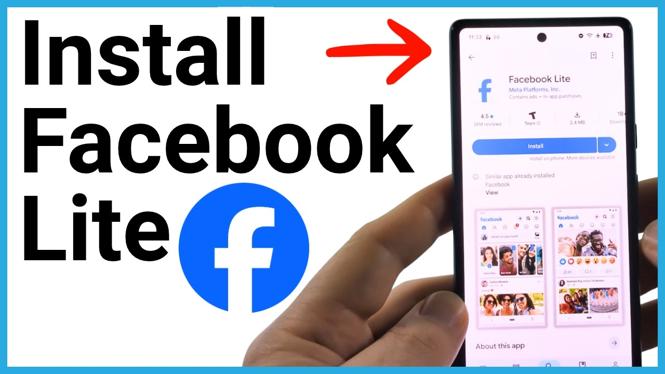
Facebook Lite is the smaller version of the Facebook app. It uses less storage space and less bandwidth while you browse, which can help if your phone has limited space, you are watching your data use, or your connection is slower.
You can install Facebook Lite from your phone’s app store, then sign in with your existing Facebook account. The process is similar on iPhone, Android phones, and Samsung Galaxy phones, but you need to start in the correct store for your device.
Video Tutorial
Download Facebook Lite from your app store
Use the App Store on an iPhone. On an Android phone or Samsung Galaxy phone, use the Google Play Store. You do not need to download Facebook Lite from a website.
- Open the app store on your phone.
On iPhone, open the App Store. On Android and Samsung Galaxy phones, open the Google Play Store.
- Find the store’s Search option.
- Search for Facebook Lite.
Make sure the second word is spelled L-I-T-E. This helps you locate the lightweight Facebook app rather than the standard Facebook app.
- Select Facebook Lite when it appears in the search results.
- Select Install to begin downloading the app.
Your phone may ask you to confirm the download. For example, you might need to enter your account password or complete the verification requested by your device. Finish that prompt to let the installation continue.
Open Facebook Lite and sign in
Facebook Lite is a small app, so the install may finish quickly. After it has installed, you can open it directly from the store.
- Select Open after Facebook Lite finishes installing.
- Check whether the app recognizes an existing Facebook account on your phone.
- If your account appears, select Continue to use that account.
- If it does not appear, log in with your Facebook account details.
- Complete any setup steps Facebook Lite shows before entering the app.
Once you are signed in, Facebook Lite will look similar to the regular Facebook app. You can then use your account in the lighter version of Facebook.
Which store should you use?
The important part is opening the app store that belongs to your phone. This is where you can search for the app, install it, and open it when the download is complete.
- iPhone: Open the App Store, search for Facebook Lite, select the app, then select Install.
- Android phone: Open the Google Play Store, search for Facebook Lite, select the app, then select Install.
- Samsung Galaxy phone: Open the Google Play Store, search for Facebook Lite, select the app, then select Install.
After you select Open, the sign-in and setup process follows the same basic steps regardless of which phone you use.
Why use Facebook Lite?
Facebook Lite is designed to be lighter than the standard Facebook app. It takes up less storage space on your device and uses less bandwidth as you browse Facebook. That can be useful if you have an older phone, limited available storage, or want to reduce data usage while using the app.
It is also a practical option when Facebook is part of your daily routine but you do not want the larger app taking up as much room on your phone. After signing in, the interface is similar to the regular Facebook app, so you can continue using your existing account.
If Facebook Lite asks for a password
A prompt for a password or account confirmation is normal during installation. Your phone uses this step to confirm that you want to download the app. Enter the requested information, then return to the install process.
If Facebook Lite opens but does not immediately show your account, choose the option to log in and enter your Facebook account details. If the app detects an account already on the phone, selecting Continue may let you proceed without entering everything again.
Quick install checklist
- Open the App Store on iPhone or Google Play Store on Android or Samsung.
- Search for Facebook Lite.
- Select the Facebook Lite app in the results.
- Select Install.
- Complete any password or account verification prompt.
- Select Open.
- Select Continue for a detected account, or log in to Facebook.
After setup is complete, Facebook Lite is ready to use from your phone’s app list just like other installed apps.
More Facebook Tips & Tutorials:
 Subscribe Now! 🙂


Discover more from Gauging Gadgets
Subscribe to get the latest posts sent to your email.