Download Warzone from the Call of Duty Store listing
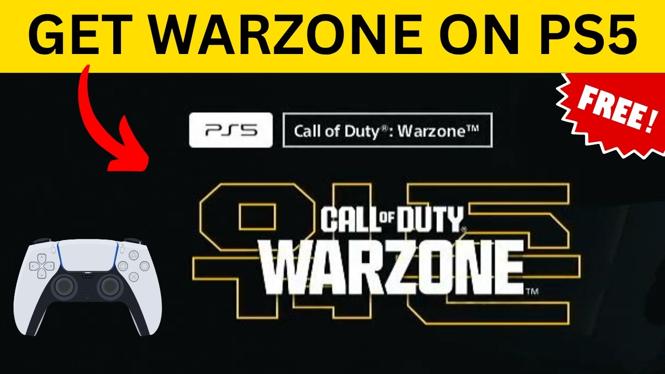
Call of Duty Warzone is available as a free download on PS5, but searching for just “Warzone” may not bring up the game in the PlayStation Store. Search for Call of Duty instead, then choose the Warzone option from the game’s menu.
Once it is installed, you can launch Call of Duty from your PS5 home screen and select a Warzone mode, such as Battle Royale or Resurgence. You do not need to buy a full Call of Duty game to download the free Warzone option shown in the Store.
Video Tutorial
How to download Call of Duty Warzone on PS5
- Start at the PS5 home screen.
- Open the PlayStation Store. Its icon looks like a PlayStation shopping bag.
- In the top menu, move right to the Search icon and select it.
- Type Call of Duty into the search field. Do not search only for Warzone, since that search may not show the game.
- Select Call of Duty from the search results.
- On the Call of Duty page, move to the right and select the three dots menu.
- Choose Call of Duty Warzone from the available options.
- Check that the price shows Free.
- Select Download, then select Install.
Your PS5 will begin downloading Call of Duty Warzone. Select the download if you want to view its progress and see how long the installation is taking. You can return to the home screen and use your console while the download continues.
Open Warzone after the installation finishes
After Call of Duty finishes downloading and installing, it appears in the game section of the PS5 home screen. Follow these steps to get into Warzone:
- Go to Call of Duty on the home screen.
- Select Play Game.
- Press X to start the game.
- When Call of Duty opens, use R1 or L1 to move through the bottom menu until you reach Warzone.
- Select Play.
Warzone will load and show the available game modes. The exact modes can change over time, but the game shown in the video includes options such as Battle Royale and Resurgence. Choose the mode you want to play, then select the option to find a match.
Agree to the terms and start matchmaking
The first time you enter a match, Call of Duty may ask you to agree to its terms. Review the prompt and accept it if you want to continue. After that, the game can begin looking for a match in the mode you selected.
You may also see limited-time items or trials inside the Call of Duty menu. These can change, expire, or be replaced. To play the main free Warzone experience, stay in the Warzone section and select the Battle Royale, Resurgence, or another available Warzone playlist.
If you cannot find the free download
Return to PlayStation Store search and enter Call of Duty exactly. Open the Call of Duty result, then use the three dots menu to locate Call of Duty Warzone. This is the important part, because the Warzone download is selected from the Call of Duty listing rather than from a search result for “Warzone.”
Also make sure you select the listing that displays Free before starting the download. After installation, launch Call of Duty from the PS5 home screen, switch to Warzone with R1 or L1, and choose a mode to start playing.
More PS5 Tips & Tutorials:
 Subscribe Now! 🙂


Discover more from Gauging Gadgets
Subscribe to get the latest posts sent to your email.