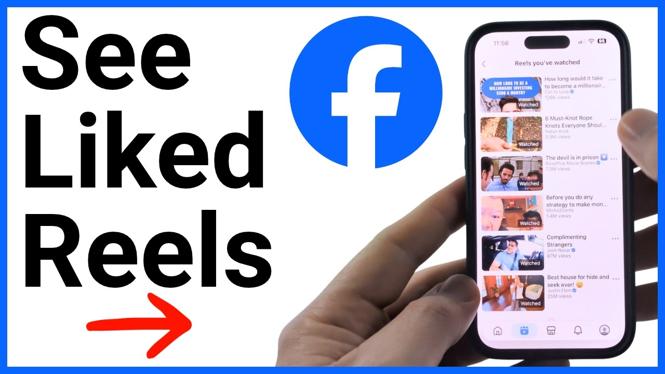
You can see liked Reels on Facebook from the Reels section of the Facebook app. Open Reels, use the person icon in the top-right corner, then choose More options and Liked reels. Facebook shows the Reels you have liked in one list, so you can open one and watch it again.
This is useful when you remember liking a funny clip, a recipe, or a helpful tip but cannot find it in your regular feed. You do not need to scroll through Reels until it appears again. The Liked reels list keeps the Reels you marked with a like in one place.
Video Tutorial
See Your Liked Reels on Facebook
- Open the Facebook app on your phone.
- Select the Reels icon from the bottom menu. This opens the Reels screen.
- Tap the person icon in the top-right corner of the Reels screen.
- If you do not see the person icon, tap the Reel video first. The icon should then appear.
- Select More options.
- Choose Liked reels.
You will now see a list of the Facebook Reels you have liked. Tap any Reel in the list to open it and watch it again.
What the Liked Reels List Does
The Liked reels section is a quick way to return to Reels you previously enjoyed. It is especially helpful when a Reel was useful enough to save mentally, but you did not remember the account name, the caption, or other details that would make it easy to search for later.
Instead of trying to locate the Reel from your feed, start from the Reels screen and go directly to Liked reels. The list only focuses on Reels you have liked, which makes it easier to narrow down what you are looking for.
Once you find the right video, select it from the list. This opens the Reel so you can replay it. You can use the same process any time you want to check a Reel you liked previously.
If You Cannot Find the Person Icon
The person icon is located in the top-right corner while you are viewing Reels. If it is missing from the screen, tap the current Reel video. This brings the icon into view so you can continue to More options.
Make sure you opened the Reels area using the Reels icon in Facebook’s bottom menu. The path to your liked Reels starts there. From that screen, the person icon gives you access to the menu that contains Liked reels.
Quick Path to Remember
When you want to see liked Reels on Facebook again, use this path:
Facebook app > Reels > person icon > More options > Liked reels
After opening the list, tap a Reel whenever you want to rewatch it. This is the fastest way to revisit Facebook Reels you have already liked without searching through your feed.
Why Liking a Reel Helps Later
A like can do more than show that you enjoyed a Reel. It also gives you a way to return to that Reel from the Liked reels list. If you come across something you may want to watch again, liking it can make it easier to locate later.
This can help with short videos that move quickly through your feed. You may see a Reel you want to revisit but not have time to watch closely at that moment. When that happens, liking it gives you a simple reference point. Later, open the Reels screen and follow the same menu path to review your liked videos.
Frequently Asked Questions
Where are liked Reels on Facebook?
Open the Facebook app and select Reels from the bottom menu. Tap the person icon in the top-right corner, select More options, then choose Liked reels.
Can I watch a liked Facebook Reel again?
Yes. Open Liked reels, then select the Reel you want to replay from the list.
What should I do if the person icon does not appear?
Tap the Reel video on the screen. The person icon should appear in the top-right corner, allowing you to open More options.
More Facebook Tips & Tutorials:
 Subscribe Now! 🙂


Discover more from Gauging Gadgets
Subscribe to get the latest posts sent to your email.