
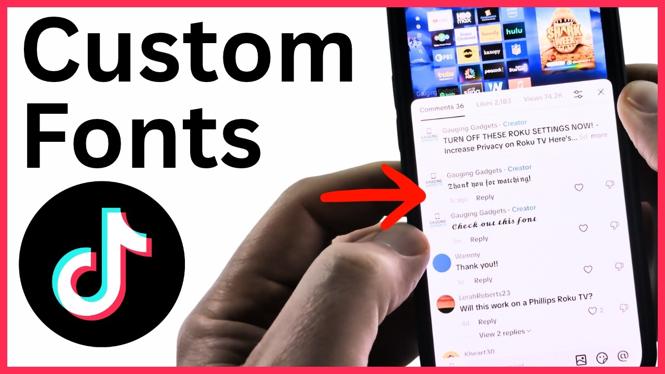
You can post a TikTok comment in a custom font by creating the text in TextTrick first, then copying and pasting it into TikTok. TikTok’s normal comment box does not provide these font choices, so the copied text is what lets the styled characters appear in your comment.
This works when you want a comment to look different from regular text. TextTrick provides several available font styles, including the medieval-style example shown in the video. You type your message once, choose a style, and paste the result into the TikTok comment field.
Video Tutorial
Create a custom-font TikTok comment
- Open a browser on your iPhone or Android device.
- Navigate to TextTrick.com.
- Type the comment you want to leave in the text box on the site.
- Scroll down to review the available font styles generated from your text.
- Tap the font style you want to use. TextTrick displays Copied after copying the styled text.
- Return to the TikTok app and open the video where you want to comment.
- Open the comment box, then paste the copied text.
- Check that the pasted comment says what you intended, then send it.
Your comment retains the selected font after you post it. In the video, a comment created with the medieval font is pasted into TikTok and sent successfully.
Choose the right text before copying
Type the complete comment into TextTrick before selecting a font. This gives you a chance to see how the entire message looks in each available style. Some styles can make a short phrase stand out clearly, while longer comments may be harder to read once converted.
Keep the wording simple when readability matters. A custom font can help a short reaction, name, or key phrase look different in a busy comment section. But people still need to understand your comment without spending time decoding the characters.
Also check spelling and punctuation in the original text box. After you tap a style and see Copied, the version on your clipboard is the styled version. If you need to change the message, go back to the text box, edit it, and tap your chosen style again to copy an updated version.
Paste the text into TikTok
Open TikTok only after the custom text has been copied. Go to the video, open its comments, and select the field where you normally type a reply or comment. Paste the copied text into that field instead of typing the message again manually. Typing it again would use TikTok’s regular text characters rather than the custom style you selected.
Before sending, review the pasted result in the comment box. Make sure the full message came across and that it still uses the style you selected. Then post it as you would any other TikTok comment.
If your comment does not look right
Start by returning to TextTrick and copying the font again. Tap the style you want and wait until you see the Copied confirmation. Then go back to TikTok and paste it into a new comment field.
If a particular style is difficult to read, choose another available font instead. The goal is to make your comment noticeable without making the message unclear. Short comments usually give you the cleanest result because there is less styled text to scan.
You can repeat this process whenever you want a different look. Enter new text in TextTrick, browse the generated styles, tap one to copy it, and paste it into TikTok. There is no need to manually recreate the characters in the TikTok app.
Quick reminder
The method shown here is for TikTok comments. You create the styled text outside TikTok with TextTrick, copy it, and paste it into the comment field. Once you send the comment, the custom font remains visible in the posted text.
More TikTok Tips & Tutorials:
 Subscribe Now! 🙂


Discover more from Gauging Gadgets
Subscribe to get the latest posts sent to your email.