How to Install APK Files on Android
In today’s digital age, the ability to install APK files on your Android device can open up new possibilities for app exploration. Whether you’re looking to access exclusive apps not available in the Google Play Store, trying out beta versions of your favorite software, or simply wanting to install an app from a reputable third-party source, knowing how to sideload APK files can be incredibly useful. In this guide, we will walk you through the steps to successfully install APK files on your Android device.
Video Tutorial
Why You Might Be Looking for This Tutorial
There are several reasons you might want to learn how to install APK files on your Android device:
- Access Exclusive Apps: Some apps are only available as APK files and are not listed in the Google Play Store.
- Beta Testing: Many developers release beta versions of their apps as APKs, allowing you to test new features before they go public.
- Region-Restricted Content: Some applications may only be available in certain countries, and sideloading APKs can get around those restrictions.
- Older Device Support: If you have an older Android device, some newer apps might not support it through the Play Store, but you may find compatible APKs.
Steps to Install APK Files on Android
Follow these steps to install APK files on your Android device:
- Enable Unknown Sources:
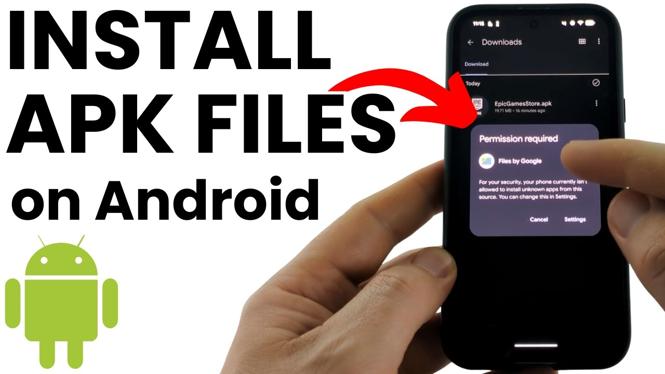
First, you need to allow your device to install apps from sources other than the Google Play Store. Go to Settings > Security (or Privacy on some devices) and enable the option for Unknown Sources.
- Download the APK File:
Visit a trusted source to download the APK file you wish to install. Ensure you’re downloading from a reputable site to avoid malware.
- Locate the APK File:
Open your File Manager or Downloads folder and find the downloaded APK file.
- Install the APK:
Tap on the APK file to begin the installation process. You may be prompted with a security warning; tap OK to proceed. Follow any on-screen instructions to complete the installation.
- Open the App:
Once installed, you can find the app in your app drawer. Open it and start using your newly installed application.
By following these steps, you can easily install APK files and expand the capabilities of your Android device. Just remember to exercise caution and only download APKs from trusted sources to keep your device safe.
More Android Tips & Tutorials:
 Subscribe Now! 🙂

Discover more from Gauging Gadgets
Subscribe to get the latest posts sent to your email.