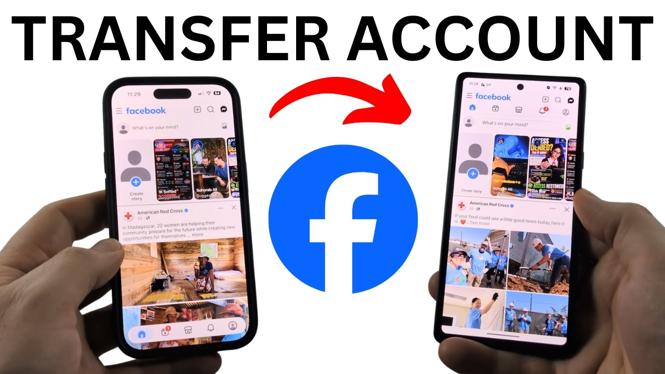
You do not need to copy your Facebook account directly from your old phone. Install the Facebook app on the new phone, then sign in with the email address or mobile number connected to your account. Your Facebook profile will then be available on the new device.
If you are unsure which email address or phone number you used, you can check it in the Facebook app on your old phone before signing in on the new one. This also works when moving between an iPhone and an Android phone.
Video Tutorial
Install Facebook on your new phone
- Open the app store on your new phone. On an iPhone, open the App Store. On Android, open the Play Store.
- Select the search icon and search for Facebook.
- Select the Facebook app from the results.
- Select Install.
- When the installation finishes, select Open.
Facebook will open to the sign-in screen. Enter the mobile phone number or email address associated with the Facebook account you want to use. Then enter your password.
Check your Facebook contact information on the old phone
If Facebook asks for an email address or phone number and you do not remember which one is connected to your account, use your old phone to check. You need to be able to open Facebook on that phone for these steps.
- Open the Facebook app on your old phone.
- Open the Facebook menu. Look for the three lines next to the Facebook logo at the top left.
- If you do not see the three lines there, check the bottom menu near your profile icon and select the three lines there instead.
- Scroll down and select Settings & privacy.
- Select Settings.
- Select Meta Account.
- Select Login and security.
- Select Contact info.
You will see the email address, mobile phone number, or both that are associated with the account. Enter one of those details on the Facebook sign-in screen on your new phone.
Reset your password if you cannot sign in
If you know the correct email address or phone number but do not know your password, select Forgot password on the new phone. Facebook gives you a way to verify that you own the account.
- Select Forgot password.
- Enter the phone number associated with your Facebook account.
- Facebook sends a verification text to that number.
- Use the verification process to regain access to the account.
If your Facebook account does not have a phone number connected to it, select Search by email instead. Enter the email address associated with the account, then select Continue. Facebook sends a code to that email address. Enter the code when prompted to sign in.
Finish moving your Facebook account
After you enter the correct account details and password, or complete the account recovery process, Facebook signs you in on the new phone. You can now use the same Facebook account without creating a new profile.
Your old phone does not need to stay connected after you have successfully signed in on the new device. You can also use these same steps when changing from iPhone to Android or from Android to iPhone. The important part is using the contact information already linked to your existing Facebook account.
If you have trouble receiving a verification text or email, check that you entered the phone number or email address shown under Contact info. Using the account details listed there helps avoid signing into the wrong account or accidentally starting a new one.
More Facebook Tips & Tutorials:
 Subscribe Now! 🙂


Discover more from Gauging Gadgets
Subscribe to get the latest posts sent to your email.