How to Get Verified on Instagram
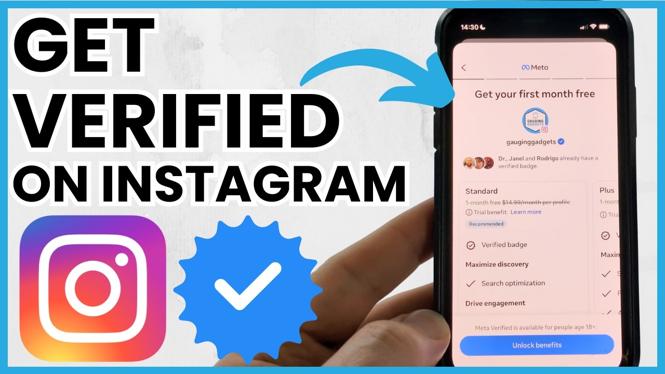
Getting verified on Instagram is an essential step for individuals and brands looking to establish their authenticity and credibility on the platform. With a blue checkmark beside your name, you signal to your audience that you are a notable figure, brand, or entity, which can enhance your reputation, increase your visibility, and attract more followers. In 2026, the process of obtaining this coveted verification badge has been streamlined and can be achieved through the Meta Verified subscription. This guide will outline everything you need to know about getting verified on Instagram.
Why You Might Be Looking for This Tutorial
There are several reasons why you may be seeking a tutorial on how to get verified on Instagram:
- Credibility: Verification helps in building trust with your audience, particularly for influencers, celebrities, and brands.
- Protection Against Impersonation: Verification provides enhanced security and protection against fake accounts impersonating you or your brand.
- Access to Features: Verified accounts often have access to additional features that can enhance engagement and outreach.
- Competitive Edge: In a crowded social media landscape, having that blue checkmark can set you apart from others in your niche.
Steps to Get Verified on Instagram
- Ensure You Meet the Eligibility Requirements: Before applying for verification, make sure that your account aligns with Instagram’s eligibility criteria. This generally includes being a public account, having a complete profile, and adhering to community guidelines.
- Sign Up for Meta Verified: Navigate to your account settings and look for the option to sign up for Meta Verified. Follow the prompts to initiate the subscription process.
- Complete the Identity Verification Process: You will need to provide the necessary information for verification, including a government-issued ID and additional details about your account and its purpose.
- Choose the Right Subscription Plan: Depending on the features you desire, select the subscription that best fits your needs. Review the benefits of each plan before making your choice.
- Submit Your Application: After filling out the required information, submit your application for review. Instagram will evaluate your application and notify you of the decision.
- Follow Up: If your application is denied, you can apply again in 30 days. Use this time to enhance your profile and engagement to improve your chances of success.
Video Tutorial
With these steps, you will be well on your way to obtaining verification on Instagram. Follow this guide, and you’ll be able to increase your credibility, protect your brand, and gain access to features that can elevate your Instagram presence. Whether you are an influencer, a business, or a public figure, taking the time to get verified can significantly impact your social media success.
More Instagram Tutorials:
 Subscribe Now! 🙂

Discover more from Gauging Gadgets
Subscribe to get the latest posts sent to your email.