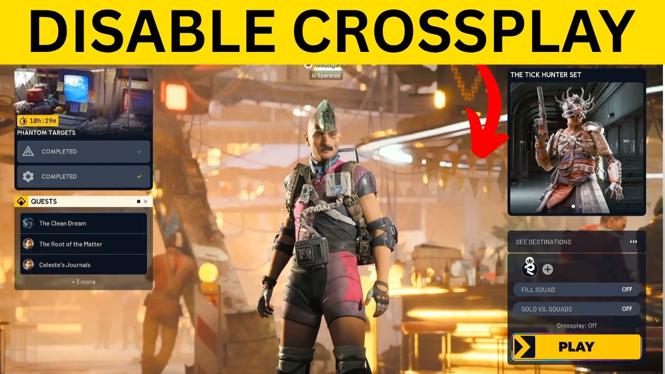
To disable crossplay in Arc Raiders, open the friends menu, go to Settings, then change Crossplay to Off in the General tab. This limits matchmaking to players on the same platform as you.
You can change this setting at any time if you want to return to cross-platform matchmaking later. Keep in mind that turning crossplay off can make matchmaking take longer because the game has fewer players to search through.
Video Tutorial
Turn Off Crossplay in Arc Raiders
The crossplay option is in the game settings, but you first need to open the menu that displays your friends. The way you open that menu depends on the device you are playing on.
- Open Arc Raiders and bring up the menu that shows your friends.
- On PlayStation or Xbox, use the Menu button.
- On PC, select the friends icon in the bottom-right corner of the screen.
- From the friends menu, move to the left-hand side.
- Move down and select Settings.
- Make sure the General tab at the top of the settings screen is selected.
- Scroll down to the Online section.
- Find the Crossplay setting.
- Press left or right on your controller until the setting shows Off.
- Use the back button to leave settings and return to the game.
Crossplay is now disabled. When you enter matchmaking, Arc Raiders will search for players using the same platform as you. PC players will match with PC players, while console players will match with players on that specific console platform.
What Disabling Crossplay Changes
Crossplay lets Arc Raiders include players from different platforms in the same matchmaking pool. With it enabled, your matches can include players on PC and consoles. Setting it to Off removes those other platforms from your available matchmaking pool.
This setting is useful if you prefer to play against people using the same type of device. Some players want a platform-specific matchmaking experience, while others simply want more control over the players they may encounter in a match.
The tradeoff is matchmaking speed. With crossplay enabled, the game can search across a larger pool of players. With crossplay disabled, it has fewer eligible players to choose from. Depending on your platform, region, and the time you play, you may see longer loading or queue times before a match starts.
Turn Crossplay Back On Later
If matchmaking starts taking too long, you can re-enable crossplay using the same settings screen. Open the friends menu, select Settings, stay in the General tab, and go to the Online section. Select Crossplay and use left or right until it is no longer set to Off.
You do not need to change any platform-level settings to manage this option. The setting shown here is controlled directly inside Arc Raiders.
Quick Check Before You Matchmake
Before starting a match, open Settings and confirm that Crossplay displays Off. If it does, you are set to match with players on your own platform only. If it does not, adjust the option before entering matchmaking.
If you play Arc Raiders on more than one device, check this setting on the device you are currently using. The important part is confirming the Crossplay value in the in-game General settings before you queue.
More FREE PC Games:
 Subscribe Now! 🙂

Discover more from Gauging Gadgets
Subscribe to get the latest posts sent to your email.