Change Roku privacy settings from the Home screen
Your Roku TV can use viewing activity, voice features, and advertising information for personalization and sharing. You can reduce this data collection from the Privacy section in Settings.
Start on the Roku Home screen. Press Left on your remote, then select Settings. Scroll toward the bottom and select Privacy. The settings below are all available from this area.
Video Tutorial
Reset the advertising identifier and turn off personalized ads
Roku uses an advertising identifier to help associate advertising activity with your device. Resetting it replaces the current identifier with a new one. You should also turn off personalized ads so ads on the Roku Home screen are not tailored using what you watch or the channels you use.
- In Privacy, select Advertising.
- Scroll down and select Reset advertising identifier.
- Confirm the reset when Roku asks.
- Turn off Personalized ads.
Resetting the identifier clears the existing advertising identifier. Turning off personalized ads limits the use of your viewing and channel activity to personalize the ads you see.
Limit microphone access and turn off speech recognition
Return to the main Privacy page and select Voice. These settings control how apps can access your microphone and how Roku handles voice recordings.
- Select Microphone access.
- Move right to App microphone access.
- Select Prompt if you use voice features and want apps to ask before using the microphone.
- Select Never allow if you do not use the microphone with your Roku TV.
- Go back to the Voice settings.
- Make sure Speech recognition is turned off.
The Prompt option gives you a choice each time an app requests microphone access. Never allow prevents apps from accessing the microphone. With speech recognition turned off, Roku deletes voice recordings after converting them to text rather than retaining the recordings for speech recognition use.
Turn off Smart TV viewing tracking
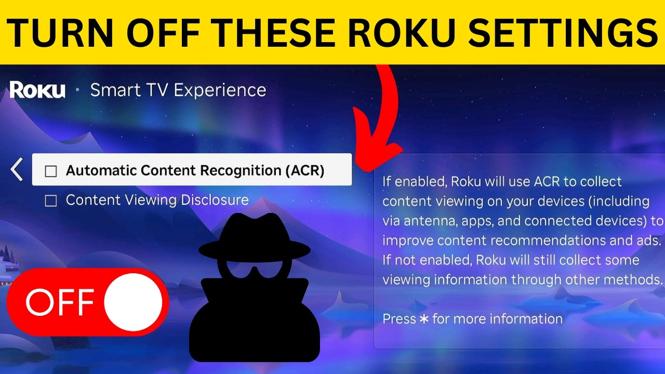
The Smart TV experience section contains two important privacy controls. Go back to Privacy, then select Smart TV experience.
- Turn off ACR.
- Turn off Content viewing disclosure.
ACR identifies content shown on your TV screen. This can include content from an antenna, an HDMI-connected device, or Roku channels. Turning it off stops this screen-based content identification.
Content viewing disclosure controls the sharing of viewing information collected through ACR with third parties, including advertisers. Turn this off as well so that viewing data is not shared through this setting.
Set Roku privacy choices
One more set of controls is available under Privacy choices. From the main Privacy page, scroll down and select Privacy choices.
- Turn on Do not sell or share my information.
- Turn on Limit use of sensitive information.
The first option tells Roku not to sell or share information gathered through your Roku TV. The second limits Roku’s use of sensitive personal information. You can open either option on this screen to review Roku’s description before enabling it.
Review the settings after updates
After changing these options, press Home to leave Settings. Your Roku TV will still show ads, but turning off personalized ads prevents them from being customized using the activity covered by that setting.
Check the Privacy menu again after major Roku updates or if you reset your TV. Also review microphone access whenever you install an app that uses voice controls. These few settings give you more control over advertising, voice recordings, viewing recognition, and information sharing on your Roku TV.
More Roku Tips & Tutorials:
 Subscribe Now! 🙂

Discover more from Gauging Gadgets
Subscribe to get the latest posts sent to your email.