Gauging Gadgets

  • Home
  • Gadget Reviews
    • Automotive Accessories
    • Bluetooth Devices
    • Cameras & Accessories
    • Cellphones and Accessories
    • Computers & Accessories
    • Drones & Quadcopters
    • Gaming Headsets
    • Headphones
    • Household
    • Lights
      • Camping Light
      • Flashlights
    • Power Banks
    • Routers and Modems
    • Smart Home
    • Smartwatch
      • Garmin
    • Solar
    • Tools
    • Wireless Speakers
  • Tech Tutorials
    • Android
    • Content Creators
      • Hitfilm
      • Instagram
      • Mixer
      • OBS Studio
      • Twitch
      • YouTube
    • DIY
    • Firefox
    • Garmin
      • Fenix 6
      • Forerunner 245
      • Forerunner 45
      • Forerunner 645
      • Garmin Instinct
      • Venu
      • Vivoactive 3
      • Vivoactive 4
    • Gadget Tutorials
      • Garmin
        • Fenix 6
        • Forerunner 45
        • Forerunner 245
        • Forerunner 645
        • Garmin Instinct
        • Venu
        • Vivoactive 3
        • Vivoactive 4
      • Google Home
      • Google Chromebook
      • Xbox One
    • Google
      • Google Chrome
      • Google Chromebook
      • Google Drive
      • Google Home
      • Google Maps
    • Internet
    • iPhone
    • Kindle
    • Live Streaming Platforms
      • Twitch
      • OBS Studio
      • Mixer
    • Netflix
    • Voice Assistants
    • Social Media
      • Instagram
      • Reddit
      • LinkedIn
      • YouTube
    • Spotify
    • Windows 10
    • Xbox One
    • YouTube
  • My YouTube Setup!
Menu
Expand search form

Tech Tutorials

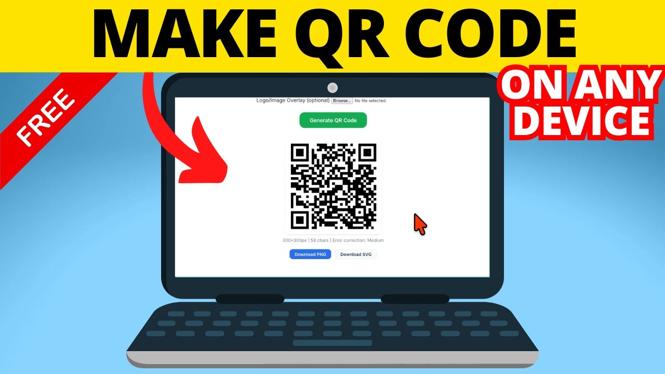
How to Make QR Code on ANY Device

August 1, 2026 No Comments

Create a QR code on an iPhone, Android phone, PC, Mac, Chromebook, or any device with a browser. Learn how to add colors and a logo, then save the finished PNG image.
Continue Reading

Gadget Reviews, Webcam

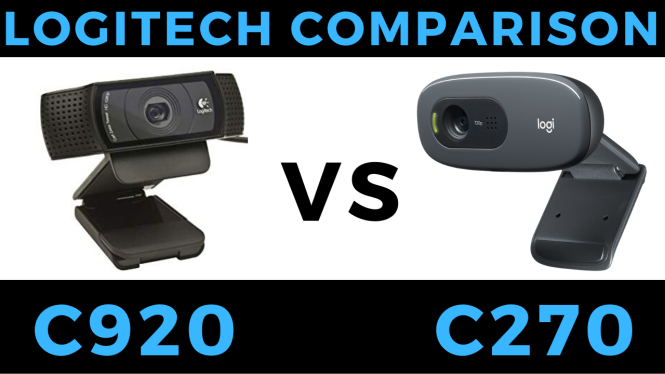
Logitech C920 vs C270 Webcam Review & Comparison – Video and Mic Test

May 18, 2020 No Comments
logitech c270 vs c920 review comparison blog

Looking to get a Logitech webcam? In this webcam comparison, we review the Logitech C270 vs Logitech C920. I go through all of the similarities and differences of the Logitech C920 and Logitech C270 webcams, including video quality, microphone quality, mounting, build quality, and compatibility. […]
Continue Reading

Gadget Reviews, Webcam

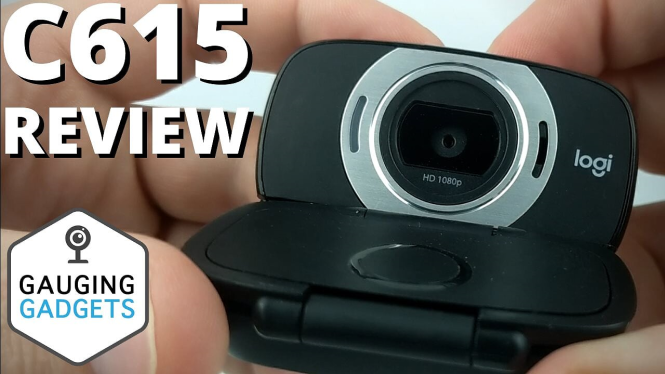
Logitech C615 HD Webcam Review and Setup – 1080p Camera for Zoom, Skype, Hangouts, and More

April 29, 2020 No Comments
logitech c615 webcam review test demo

In this unboxing, review, and tutorial we look at the Logitech C615 HD webcam. Additionally, I show you how to set up the Logitech C615 and we do a video comparison test with the Logitech C920.

Continue Reading

Subscribe via Email

Enter your email address to subscribe to this blog and receive notifications of new posts by email.

Join 60 other subscribers

Recent Post

  • November 27, 2026

    How To Fix Screen Flickering On iPhone

  • November 27, 2026

    How to See Liked Reels on Facebook

  • November 27, 2026

    How to Add Highlights on Instagram Without Posting Story

  • November 26, 2026

    How To Monetize Facebook Page & Make Money

  • November 26, 2026

    How to Preload GTA 6 on PS5

More Tech Tutorials

  • August 20, 2019
    Cancel Xbox Subscriptions

    How to End Subscriptions on Your Xbox One

  • June 28, 2025

    How to Connect Xbox Controller to iPad

  • March 11, 2026

    How to Hard Reset an Android Phone

  • October 18, 2026

    How to Enable FPS Counter with NVIDIA App

  • February 18, 2026

    Fix Frozen or Unresponsive Lenovo Laptop

  • January 28, 2026

    How to See Saved Passwords in Google Chrome Browser

  • July 23, 2025

    Initial Setup – Garmin Forerunner 965 Tutorial – Getting Started

  • January 28, 2020
    how to right click chromebook tutorial

    How to Right Click on a Chromebook – 3 Different Ways

  • January 6, 2021
    How to Screen Share on Discord Mobile

    How to Screen Share on Discord Mobile

Privacy Policy

FTC: This page contains affiliate links. As an Amazon Associate I earn from qualifying purchases. All reviews are 100% honest and are not influenced to promote sales. Thank you for visiting and I hope you found it useful!

International Amazon Links:

  • Australia
  • UK
  • Canada
  • Spain
  • Mexico
  • Italy
  • France
  • Germany
  • USA
  • Opt-out preferences
  • Imprint
  • Disclaimer
  • Privacy Policy

Gauging Gadgets

Gadget Reviews & Tech Tutorials

Close Menu
    Manage your privacy

    We use cookies to improve your experience. Accepting them lets us process data like browsing behavior. You can withdraw consent anytime, but some features may not work properly.

    Functional Always active
    The technical storage or access is strictly necessary for the legitimate purpose of enabling the use of a specific service explicitly requested by the subscriber or user, or for the sole purpose of carrying out the transmission of a communication over an electronic communications network.
    Preferences
    The technical storage or access is necessary for the legitimate purpose of storing preferences that are not requested by the subscriber or user.
    Statistics
    The technical storage or access that is used exclusively for statistical purposes. The technical storage or access that is used exclusively for anonymous statistical purposes. Without a subpoena, voluntary compliance on the part of your Internet Service Provider, or additional records from a third party, information stored or retrieved for this purpose alone cannot usually be used to identify you.
    Marketing
    The technical storage or access is required to create user profiles to send advertising, or to track the user on a website or across several websites for similar marketing purposes.
    Statistics

    Marketing

    Features
    Always active

    Special features

    Special purposes
    Always active

    • Manage options
    • Manage services
    • Manage {vendor_count} vendors
    • Read more about these purposes
    Manage options
    • {title}
    • {title}
    • {title}
    Manage your privacy

    To provide the best experiences, we and our partners use technologies like cookies to store and/or access device information. Consenting to these technologies will allow us and our partners to process personal data such as browsing behavior or unique IDs on this site and show (non-) personalized ads. Not consenting or withdrawing consent, may adversely affect certain features and functions.

    Click below to consent to the above or make granular choices. Your choices will be applied to this site only. You can change your settings at any time, including withdrawing your consent, by using the toggles on the Cookie Policy, or by clicking on the manage consent button at the bottom of the screen.

    Functional Always active
    The technical storage or access is strictly necessary for the legitimate purpose of enabling the use of a specific service explicitly requested by the subscriber or user, or for the sole purpose of carrying out the transmission of a communication over an electronic communications network.
    Preferences
    The technical storage or access is necessary for the legitimate purpose of storing preferences that are not requested by the subscriber or user.
    Statistics
    The technical storage or access that is used exclusively for statistical purposes. The technical storage or access that is used exclusively for anonymous statistical purposes. Without a subpoena, voluntary compliance on the part of your Internet Service Provider, or additional records from a third party, information stored or retrieved for this purpose alone cannot usually be used to identify you.
    Marketing
    The technical storage or access is required to create user profiles to send advertising, or to track the user on a website or across several websites for similar marketing purposes.
    Statistics

    Marketing

    Features
    Always active

    Special features

    Special purposes
    Always active

    • Manage options
    • Manage services
    • Manage {vendor_count} vendors
    • Read more about these purposes
    Manage options
    • {title}
    • {title}
    • {title}