I Created a LINK IN BIO for YouTubers
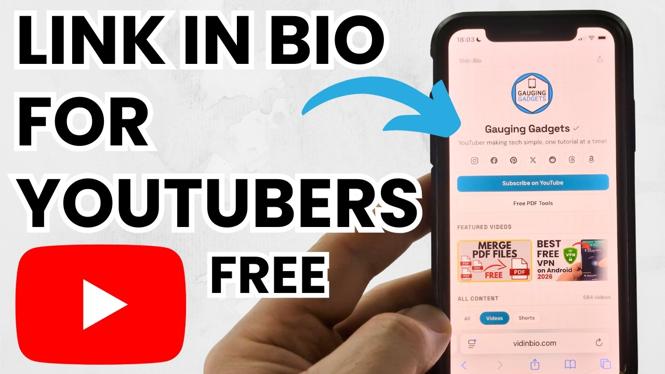
In the ever-evolving digital landscape, content creators, especially YouTubers, need effective ways to consolidate their online presence. A ‘link in bio’ page is crucial for anyone looking to direct their audience to multiple platforms such as social media, merchandise, and other content. This tutorial will guide you through the process of creating your own free link in bio page, specifically designed to cater to YouTubers and content creators in 2026. With this resource, you can easily share all your important links without relying on costly alternatives.
Video Tutorial
Why You Might Be Looking for This Tutorial
If you’re a YouTuber or content creator, you’ve probably noticed how important it is to maintain an effective online presence. You might be seeking an alternative to paid services like Linktree, Beacons, or Stan Store, as the costs can add up quickly, especially for emerging creators. This tutorial will empower you to create a professional-looking link in bio page for free, allowing you to share your content, social media profiles, and more in one convenient location. By optimizing your online space, you can enhance user experience and engagement, which could lead to increased viewership and follower counts across platforms.
Steps to Create Your Free Link in Bio Page
- Choose a Free Link Building Platform: Start by selecting a free platform that allows you to create a link in bio page. Popular options include Carrd, LinkInBio, or your own website if you have one.
- Sign Up: Create an account if required. Most platforms will only need your email and a password.
- Select a Template: Choose a template that resonates with your brand. Make sure it is visually appealing and easy to navigate.
- Customize Your Links: Add your important links such as your YouTube channel, social media profiles, merchandise, or any other relevant content. Ensure each link has a clear label to avoid confusion.
- Personalize Your Design: Adjust colors, fonts, and images to align with your personal brand. This will make your link in bio page distinct and recognizable.
- Preview and Test: Before sharing, preview your link in bio page and test all links to ensure they direct to the correct destinations.
- Share Your Link: Once satisfied, copy the link to your new page and update your YouTube bio or any other platforms where you’d like to promote it.
Conclusion
Creating a link in bio page tailored for YouTubers is not only cost-effective but essential for digital branding. By following the steps outlined above, you can effortlessly enhance your online presence and provide a seamless experience for your audience. Take control of your online links today and watch your engagement grow!
More YouTube Tips & Tutorials:
 Subscribe Now! 🙂

Discover more from Gauging Gadgets
Subscribe to get the latest posts sent to your email.