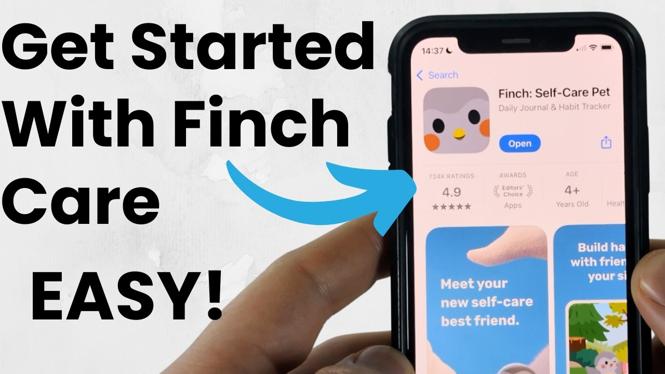
Get Finch set up first
Finch is a self care app that pairs daily habits and mood check-ins with a virtual pet bird. Your Finch grows as you complete activities and reflect on how you feel. The best way to start is to keep your first setup simple, then use the daily goals and check-ins that fit your routine.
You will need your phone and an internet connection to download the app and create an account. Once you are in, take a few minutes to name your bird and explore the main self care features before adding too many goals.
Video Tutorial
Download Finch and create your account
Start by finding Finch in your phone’s app store and installing it. Open the app after it finishes downloading, then follow the setup prompts to create your account. Finch will guide you through the early questions so it can introduce the app and its self care tools.
- Open your phone’s app store.
- Search for Finch.
- Download and install the Finch self care app.
- Open Finch and follow the account setup prompts.
- Continue through the introduction until you reach your Finch pet and daily app features.
Take your time during this part. The initial setup is where you start shaping the app around your own self care routine. You do not need to have every habit planned before you begin. A few useful goals are easier to keep up with than a long list you stop checking.
Name and hatch your Finch pet
One of the first parts of Finch is meeting your pet bird. You can name your Finch during setup, then hatch it and begin its journey. This pet is tied to your activity in the app, so your daily check-ins and completed goals help it grow alongside you.
Pick a name you like, but do not overthink it. The important part is getting through the setup and returning to the app regularly. Seeing your Finch develop can give your routine a little extra structure, especially on days when checking in with yourself feels hard.
As you use Finch, pay attention to how the pet relates to your progress. The app uses this shared journey to make self care tasks feel more personal without requiring you to track everything manually outside the app.
Complete daily goals
Daily goals are the core of using Finch. They give you small actions to complete as part of your routine. Open the app each day, review your current goals, and mark off the ones you complete.
- Open Finch and find your daily goals.
- Read through the goals you want to focus on that day.
- Complete a goal when you do the activity in real life.
- Mark it as completed in the app.
- Return later if you want to finish more goals or review your progress.
Start with goals that are realistic for your day. For example, use tasks connected to habits you already want to build, rather than adding pressure. Finch works best as a regular check-in tool, not as a test you have to pass every day.
If a goal is not helping, adjust your approach in the app based on what you need. Your routine can change, and your self care plan should be flexible enough to change with it.
Use check-ins and mood tracking
Finch also gives you a place to check in with yourself and track your mood. These features help you pause and notice how you are feeling, instead of only focusing on what you finished.
When you open a check-in, answer based on how you feel at that moment. Try to be honest rather than choosing the answer you think you should give. Mood tracking is most useful when it reflects your actual day, including difficult days.
You can use check-ins as a quick daily habit. A morning check-in can help you set an intention for the day. An evening check-in can help you reflect on your mood, your goals, and what you may need tomorrow. You can also open Finch whenever you want a short moment to focus on yourself.
Explore the self care features at your pace
After you have completed your first goals and check-ins, spend some time navigating Finch. The app includes self care and mood tracking features designed to support your routine. You do not need to use every feature on day one.
Focus on the areas that you will realistically return to. If daily goals help you stay organized, make those your main habit. If reflecting on your feelings is more useful, make check-ins part of your day. You can combine both as you get more comfortable with the app.
A simple routine is enough: open Finch, complete any goals that apply, do a check-in, and see how your bird is doing. Repeating that process gives you a practical way to build healthy habits while keeping your self care in view.
Make Finch part of your routine
Use Finch at a time you can remember. Many people find it easier to check the app at the start or end of the day, but the right time is the one that works for you. Keep the process short at first so it does not become another task you avoid.
Your goals, mood check-ins, and Finch pet are all parts of the same routine. Come back consistently, make honest check-ins, and let the app support the habits you want to practice.
More Finch Self-Care Tips & Tutorials:
 Subscribe Now! 🙂

Discover more from Gauging Gadgets
Subscribe to get the latest posts sent to your email.