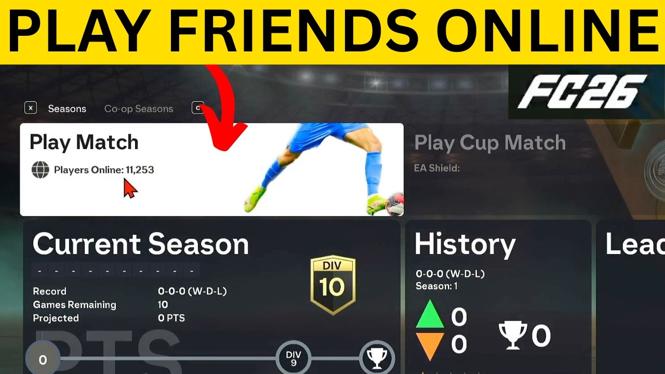
How to Play Online With Friends in FC 26
Playing online with friends in EA Sports FC 26 is an exciting way to enhance your gaming experience. Whether you are strategizing together in matches or vying for leaderboard dominance, teaming up with friends brings an entirely new dimension to the game. This blog post will guide you through the steps necessary to invite friends, set up matches, and connect seamlessly across platforms like PlayStation, Xbox, and PC for an unforgettable gaming experience.
Video Tutorial
Why You Might Be Looking for This Tutorial
As the gaming community expands, the ability to connect and play with friends online has become more essential. Whether you’re a seasoned player or new to FC 26, you may find yourself searching for ways to enhance your enjoyment through collaborative play. This tutorial serves various purposes:
- You want to play with friends and enhance your social gaming experience.
- You are looking to learn the best ways to set up matches efficiently.
- You want to connect with friends across different platforms.
- You are interested in competitive play and want to strategize with your squad.
Steps to Play Online With Friends in FC 26
Step 1: Launch EA Sports FC 26
Start your game and navigate to the main menu. Ensure that your game is updated to the latest version for the best experience.
Step 2: Access the Online Mode
Select the online mode option from the main menu. This will give you access to various multiplayer options, including friendly matches and co-op modes.
Step 3: Invite Friends to Your Lobby
In the online menu, look for the option to create a lobby. You can invite friends from your friends list by selecting their names or sending them an invitation link. Make sure your friends are also online and playing FC 26.
Step 4: Set Up Your Match
Once your friends have joined your lobby, you can choose the type of match you want to play. Decide whether you want to engage in a friendly match or a co-op game, where you can work together against other teams.
Step 5: Choose Teams and Start Playing
After you’ve set up the match, select the teams each player will control. If playing co-op, finalize your squad and strategy. Once everything is set, start the match and enjoy playing together!
Conclusion
Playing online with friends in EA Sports FC 26 not only fosters teamwork but also enhances the overall enjoyment of the game. By following the above steps, you can easily connect with your friends, set up matches, and engage in thrilling competitions against other players. For a visual guide, don’t forget to check out the video tutorial above. Happy gaming!
More FC 26 Tips & Tutorials:
 Subscribe Now! 🙂

Discover more from Gauging Gadgets
Subscribe to get the latest posts sent to your email.