How to Add YouTube Link to Instagram Bio
In today’s digital landscape, leveraging social media for promoting content is essential. Instagram, with its vast user base, offers an excellent opportunity to connect with audiences and direct them to your YouTube channel. In this blog post, we’ll guide you through the process of adding a YouTube link to your Instagram bio, ensuring that your followers can easily access your videos and channel. This is particularly valuable for enhancing your online presence and driving traffic between platforms.
Video Tutorial
Why You Might Be Looking for This Tutorial
If you are a content creator or business owner looking to grow your audience, you might want to utilize Instagram to promote your YouTube videos. This tutorial is perfect for those who want to:
- Increase visibility for their YouTube channel.
- Drive traffic from Instagram to their YouTube videos.
- Engage with followers in a more meaningful way by guiding them to video content.
- Learn the steps required to effectively add links to their Instagram bio.
Steps to Add a YouTube Link to Your Instagram Bio
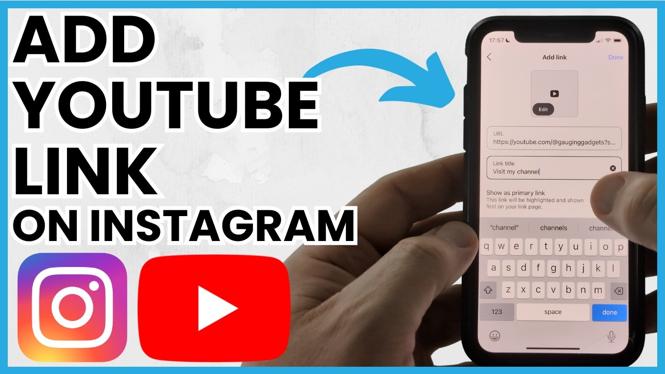
- Open the Instagram App: Launch the Instagram app on your iPhone or Android device.
- Go to Your Profile: Tap on your profile icon located at the bottom right corner of the screen.
- Edit Profile: Click on the “Edit Profile” button on your profile page.
- Add Your YouTube Link: In the “Website” field, paste your YouTube channel link or the specific video link you want to promote.
- Save Changes: After adding the link, make sure to tap “Submit” or “Done” at the top right corner to save the changes.
- Test the Link: Go back to your profile and click on the link in your bio to ensure it directs to the intended YouTube content.
By following these simple steps, you can effectively promote your YouTube channel on Instagram and make it easy for your followers to access your video content. Whether you are sharing tutorials, vlogs, or any other type of content, having a direct link in your bio is a powerful way to drive views and engagements.
Now that you understand the process, it’s time to take action and enhance your online presence by connecting your Instagram and YouTube profiles!
More Instagram Tutorials:
 Subscribe Now! 🙂
Discover more from Gauging Gadgets
Subscribe to get the latest posts sent to your email.