How to Unprivate Your TikTok Account
TikTok has quickly become one of the most popular social media platforms, allowing users to create and share short videos with a global audience. While many users initially set their accounts to private for privacy reasons, there may come a time when you decide to make your account public to expand your reach and grow your audience. In this guide, we will walk you through the steps to unprivate your TikTok account, allowing anyone to see your videos, follow you, and engage with your content.
Why You Might Be Looking for This Tutorial
There are several reasons why a user might want to unprivate their TikTok account:
- Growing Your Audience: Switching your account to public allows more people to discover your content, increasing your follower base.
- Engagement: Public accounts tend to receive more likes, comments, and shares, facilitating interactions and community building.
- Networking Opportunities: A public account can help you connect with other creators and potential collaborators.
- Showcasing Your Talent: If you’re an artist, musician, or any other creative, making your account public can help you showcase your talents to a wider audience.
Steps to Unprivate Your TikTok Account
Follow these simple steps to change your TikTok account from private to public:
- Open TikTok: Launch the TikTok app on your mobile device.
- Go to Your Profile: Tap on the “Profile” icon at the bottom right corner of the screen.
- Access Settings: In your profile, tap on the three dots (or the menu icon) in the top right corner to access Settings.
- Select Privacy: From the settings menu, tap on “Privacy” to view your account privacy settings.
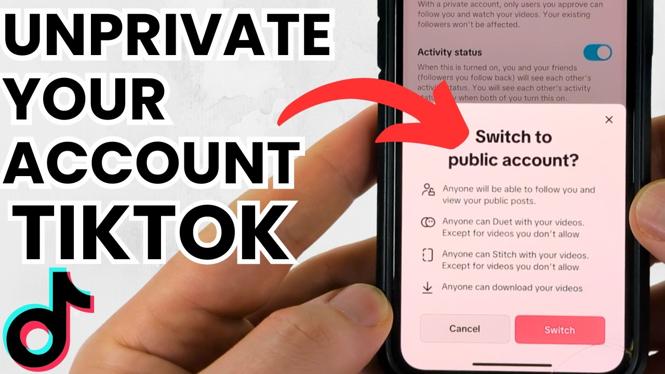
- Change Account to Public: Locate the “Private Account” setting and toggle it off. This will switch your account to a public setting.
- Confirm Changes: Once toggled off, your account will be set to public, allowing anyone to view your videos.
Now that you know how to unprivate your TikTok account, you can start sharing your creativity with a broader audience and foster connections with fellow TikTokers.
Video Tutorial
More TikTok Tips & Tutorials:
 Subscribe Now! 🙂

Discover more from Gauging Gadgets
Subscribe to get the latest posts sent to your email.