How to Set Custom Charging Sound On iPhone
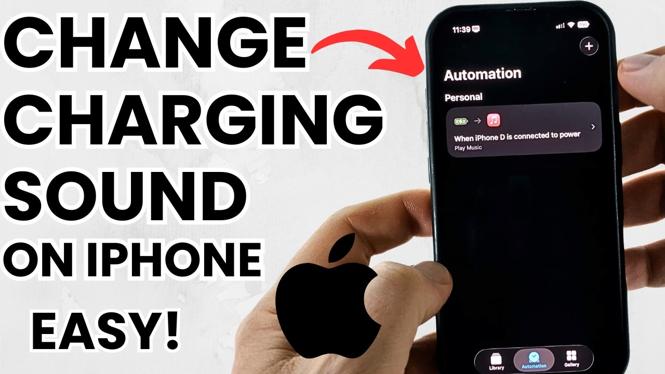
Have you ever wanted to personalize the sound your iPhone makes while charging? The standard charging tone can feel a bit dull, but luckily, with the Shortcuts app on iOS 16 and beyond, you can easily set a custom charging sound. This guide will walk you through the steps to change your iPhone’s charging alert sound, allowing you to express your individuality every time you plug in your device.
Video Tutorial
Why You Might Be Looking for This Tutorial
Personalizing your device enhances your user experience and can make routine tasks more enjoyable. Changing your iPhone’s charging sound can be a fun way to make your phone feel more like your own. You might be looking for this tutorial because:
- You want to add a personal touch to your device.
- You are bored with the default charging sound and wish to customize it.
- You enjoy using the Shortcuts app and want to explore its capabilities.
- You may be looking for a quick and easy way to refresh your iPhone’s sound settings.
Steps to Set a Custom Charging Sound On iPhone
- Open the Shortcuts App: Locate and launch the Shortcuts app on your iPhone.
- Create a New Automation: Tap on the “Automation” tab at the bottom of the screen, then select “Create Personal Automation.”
- Select the Trigger: Scroll down and choose “Charger.” Select “Is Connected” and tap “Next.”
- Add an Action: Tap “Add Action” and then search for “Play Sound.” Choose “Play Sound” from the list.
- Choose Your Sound: Tap on the “Sound” field and select your desired sound from the music library or your recordings.
- Disable ‘Ask Before Running’: Toggle off “Ask Before Running” to ensure the sound plays automatically.
- Save Your Automation: Tap “Done” in the top right corner to save your new automation.
Now, every time you connect your iPhone to a charger, your custom sound will play, adding a unique flair to your charging routine. Enjoy your new personalized charging experience!
More iPhone Tutorials:
 Subscribe Now! 🙂

Discover more from Gauging Gadgets
Subscribe to get the latest posts sent to your email.