How to Play Online in FC 26: A Step-by-Step Guide
Are you ready to take your gaming skills to the next level by playing online in EA Sports FC 26? This tutorial will guide you through the process of connecting to online matches seamlessly. Whether you’re a beginner or someone with prior gaming experience, this guide is designed for everyone looking to jump into the exciting world of online play. You will learn how to access various online modes, like Ultimate Team, Rivals, Champions, and Clubs, across different platforms including PlayStation, Xbox, and PC.
Video Tutorial
Why You Might Be Looking for This Tutorial
With the increasingly competitive nature of online gaming, players often find themselves wanting to connect with others in order to improve their skills and enjoy the camaraderie that comes from multiplayer interactions. You might be seeking this tutorial to:
- Understand the basic steps to access online play in FC 26.
- Learn how to participate in different online modes.
- Get tips on navigating the online interface, especially if you’re a newcomer.
- Discover how to compete with players from around the world.
Steps to Play Online in FC 26
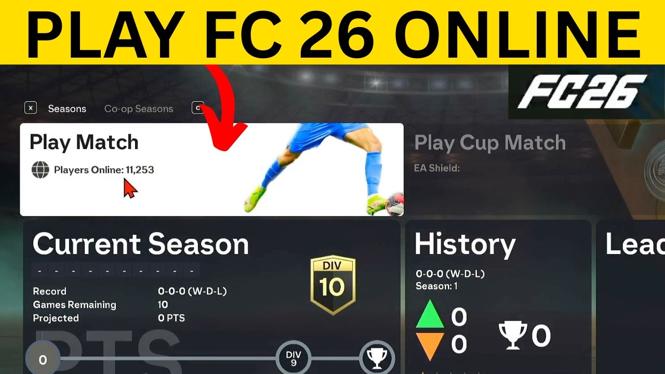
Follow these simple steps to start playing online in FC 26:
- Launch EA Sports FC 26: Start by opening the game on your console or PC.
- Select Online Mode: Navigate to the main menu and choose the online mode you wish to play, such as Ultimate Team, Rivals, or Clubs.
- Login to Your Account: If prompted, sign in to your EA or console account. Make sure your internet connection is stable.
- Choose Game Settings: Depending on the mode, you may have the option to customize game settings or select a team.
- Find a Match: Once you’ve set everything up, proceed to search for an online match. The game will match you with other players based on skill level and mode.
- Enjoy the Game: Play your match! Remember to communicate with teammates if you’re in a club or playing co-op.
Conclusion
With these straightforward steps, you’re all set to dive into the exhilarating world of online play in FC 26. No prior experience is necessary, making it easy for everyone to join in the fun. Whether you’re aiming to enhance your gaming skills, compete against players, or simply enjoy some matches, this tutorial serves as your gateway to endless entertainment.
More Windows 11 Tips & Tutorials:
 Subscribe Now! 🙂

Discover more from Gauging Gadgets
Subscribe to get the latest posts sent to your email.