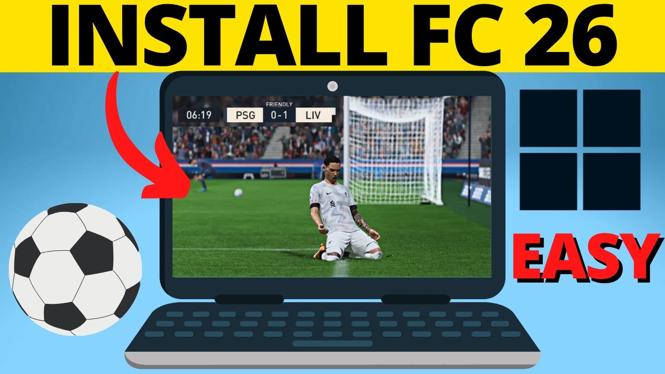
How to Download FC 26 on PC & Laptop
Downloading EA Sports FC 26 on your PC or laptop is a breeze when you know the steps to follow. This guide will simplify the process, ensuring you can get your game installed quickly and efficiently. Whether you’re a seasoned gamer or just looking to dive into the latest football simulation, this article will provide all the necessary information to set you up for success.
Video Tutorial
Why You Might Be Looking for This Tutorial
If you’ve decided to download FC 26, you might be looking for a straightforward way to do so without running into issues. Here are a few reasons why you might benefit from this tutorial:
- New to PC Gaming: If you are new to gaming on your PC or laptop, the download process might seem intimidating. This guide will demystify it for you.
- Confusion with Installation: With various platforms and downloads, it can be confusing to know where to start. We provide a clear path to follow.
- Avoiding Common Pitfalls: Many users encounter problems during installation. We cover common issues and solutions to ensure a smooth experience.
- Updated Information: As gaming evolves, so do the methods for downloading games. This guide reflects the most current practices for 2026.
Step-by-Step Guide to Downloading FC 26
Step 1: Check System Requirements
Before you begin downloading, ensure your PC or laptop meets the minimum system requirements for EA Sports FC 26. This will help you avoid performance issues later on.
Step 2: Download the EA App
Your first step is to download the EA App, which serves as the platform for managing and downloading EA games. Visit the official EA website to find the download link for the application and follow the installation instructions.
Step 3: Create or Log into Your EA Account
If you don’t already have an EA account, you’ll need to create one. This account will allow you to access your game library and make purchases. If you already have an account, simply log in.
Step 4: Search for FC 26 in the EA App
Once you are logged in, use the search bar in the EA App to find ‘FC 26’. Click on the game once it appears in the search results.
Step 5: Purchase or Select Download
If you have not yet purchased the game, you will need to buy it first. Once your purchase is complete, the option to download the game will appear. Click on the download button to start the process.
Step 6: Install the Game
After the download is complete, the installation should begin automatically. Follow any on-screen prompts to complete the installation process.
Step 7: Launch the Game
Once installed, you can launch FC 26 directly from the EA App or from your desktop shortcut. Enjoy your time on the pitch!
Conclusion
Downloading and installing EA Sports FC 26 on your PC or laptop doesn’t have to be complicated. By following these steps, you’ll be playing in no time. Remember to keep your EA App updated for the best experience. Now, get ready to score some goals!
More Windows 11 Tips & Tutorials:
 Subscribe Now! 🙂

Discover more from Gauging Gadgets
Subscribe to get the latest posts sent to your email.