How to Delete Your Spotify Account: A Step-by-Step Guide
If you find yourself no longer using your Spotify account or want to take a break from the platform, deleting your account can be a straightforward solution. Many users may choose to cancel their subscription or eliminate their account for various reasons such as changes in music preferences, budgetary concerns, or simply because they want to explore other streaming services. Whichever the reason, this guide will walk you through the process of permanently deleting your Spotify account on your smartphone, specifically on iPhone, Android, and Samsung Galaxy devices.
Video Tutorial
Why You Might Be Looking for This Tutorial
Deleting your Spotify account isn’t just about cutting ties; it can also be a way to ensure that your personal data is no longer stored on their servers. Many users want to take control of their online presence and privacy, and deleting accounts is a crucial step. If you’re overwhelmed with subscriptions or simply want a fresh start with your music streaming experience, understanding how to delete your Spotify account is essential. Here’s what you can expect in this tutorial.
Steps to Delete Your Spotify Account on Mobile Devices
Step 1: Open Spotify App
Launch the Spotify app on your smartphone. Ensure you are logged into the correct account that you wish to delete.
Step 2: Access Account Settings
Tap on the ‘Home’ tab at the bottom left corner. Then, navigate to the ‘Settings’ gear icon located in the top right corner.
Step 3: Manage Your Account
In the settings menu, look for the option that states ‘Account’. This will direct you to your account details, where you can manage various aspects of your profile.
Step 4: Navigate to Account Deletion
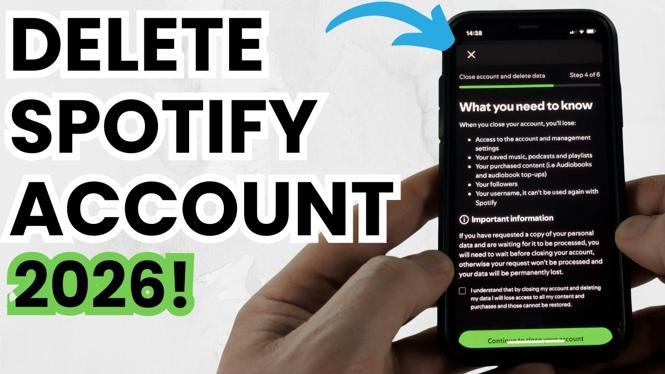
Scroll down to find the option for ‘Delete Your Account’. This section will also provide information on what happens when you delete your account, including the loss of playlists and saved music.
Step 5: Confirm Deletion
After reviewing the information, select the ‘Delete Account’ option. You may be asked to confirm your choice by entering your password or accepting terms and conditions related to the deletion.
Step 6: Final Confirmation
You will receive a confirmation message or email indicating that your account deletion request has been processed. Your account data will be permanently deleted after a few days.
Conclusion
Deleting your Spotify account is a simple process that can be completed quickly from your mobile devices. Whether it’s for personal preference or a matter of privacy, this guide provides a clear pathway to help you take control of your subscription. Should you choose to return to Spotify in the future, you can always create a new account with a fresh start.
More Spotify Tips & Tutorials:
 Subscribe Now! 🙂

Discover more from Gauging Gadgets
Subscribe to get the latest posts sent to your email.