How to Delete a Course in Duolingo
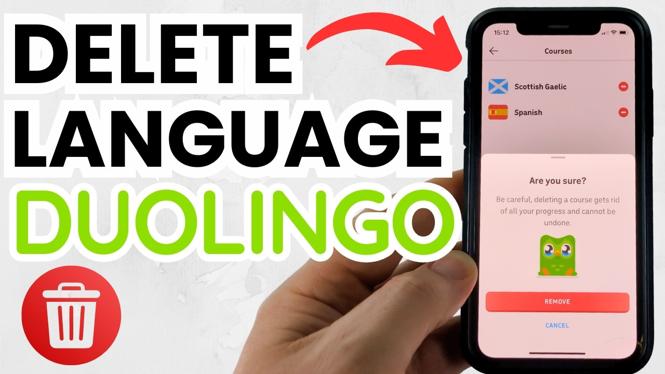
If you’ve been using Duolingo and decided that you want to simplify your language learning experience, deleting a course can be a practical solution. Whether you’re changing your focus, feel overwhelmed by too many languages, or simply want to refresh your dashboard, knowing how to remove a course is essential. This guide will provide a step-by-step tutorial on how to delete a language course from your Duolingo account, catering to users on iPhone, Android, Samsung Galaxy, and the desktop website.
Video Tutorial
Why You Might Be Looking for This Tutorial
Many users of Duolingo may find themselves overwhelmed by the number of language courses they are enrolled in. You might be looking for this tutorial for several reasons:
- Decluttering Your Dashboard: A cleaner interface helps you focus on the languages that truly interest you.
- Switching Languages: Perhaps you’ve shifted your focus to a new language and no longer wish to continue with a previous one.
- Managing Language Learning: By removing completed or unwanted courses, you can have a more streamlined and personalized learning experience.
Steps to Delete a Course in Duolingo
For iPhone and Android Users:
- Open the Duolingo app on your device.
- Navigate to your profile by tapping on the profile icon in the bottom right corner.
- Select the ‘Settings’ option from the dropdown menu.
- Tap on ‘Manage Courses’.
- Choose the course you wish to delete from the list.
- Tap on the ‘Delete Course’ option.
- Confirm your decision to delete the course when prompted.
For Desktop Users:
- Go to the Duolingo website and log in to your account.
- Click on your profile icon in the top right corner of the screen.
- Select ‘Settings’ from the dropdown menu.
- Find the ‘Manage Courses’ section.
- Look for the course you want to delete and click on it.
- Click the ‘Delete Course’ button.
- Confirm that you want to delete the course to finalize the action.
Conclusion
Deleting a course in Duolingo is a straightforward process that can help you manage your language learning more effectively. Whether you’re focusing on new languages or simply need to declutter, following these steps will ensure you can easily remove any unwanted courses. Keep your learning experience personalized and enjoyable by regularly managing your course list.
More Duolingo Tips & Tutorials:
 Subscribe Now! 🙂

Discover more from Gauging Gadgets
Subscribe to get the latest posts sent to your email.