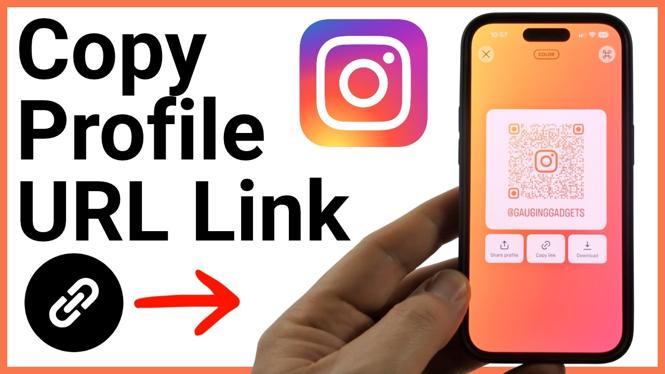
You can copy your Instagram profile URL from the Share profile screen in the Instagram app. Instagram copies the link to your clipboard, so you can paste it into a message, bio, website, or another place where you want people to open your account directly.
The copied link may include extra tracking text after your username. It still works, but you can remove that extra text if you want a shorter, cleaner profile URL. Your basic Instagram profile address is instagram.com/yourusername.
Video Tutorial
Copy your Instagram profile link
Start in the Instagram app while signed in to the account whose URL you want to share. The profile icon in the bottom menu takes you to your own profile, where Instagram provides the sharing options for that account.
- Open the Instagram app.
- Select your profile icon in the bottom menu. This opens your Instagram profile page.
- Find and select Share profile.
- On the sharing page, select Copy link.
- Paste the copied link wherever you want to use or check it.
After you select Copy link, the URL is on your device clipboard. Instagram does not require you to manually type your username or build the address yourself. Paste it into a text field to send it to someone, save it for later, or add it where you share your social profile.
What the copied Instagram URL looks like
Instagram may copy a link that has your profile address followed by a question mark and additional text. That extra section is tracking information added to the shared link. The link can still open your profile with that text included.
If you prefer a clean version, edit the pasted link. Delete the question mark and everything after it. Keep the part before the question mark, which follows this format:
instagram.com/yourusername
Replace yourusername with your actual Instagram username. For example, if your username is sampleaccount, the clean URL is instagram.com/sampleaccount.
Be careful not to delete any part of the username itself. The question mark marks the point where the optional tracking text begins. Removing only that section leaves the direct address to your Instagram profile.
Check that the link opens the right profile
Before adding your Instagram profile URL to a public bio, website, or business page, paste it somewhere you can inspect it. Confirm that the username in the URL matches the username shown on your Instagram profile.
You can also select the pasted link to test it. A working profile URL opens Instagram and takes the visitor directly to your profile. This quick check helps you catch a misspelled username or an accidental edit before you share the link more widely.
When to use the clean profile URL
The direct URL is useful when you want one simple address that points to your account. You can share the copied link with friends or followers, place it on another social media profile, or add it to a page that lists your online accounts.
Using the clean format also makes the link easier to recognize. People can see that it leads to Instagram and identify the account name from the end of the address. If you copy the link again later, Instagram may include tracking text again, so repeat the same cleanup step if you want to use the shorter version.
Quick reference
Open your profile from the bottom menu, select Share profile, then choose Copy link. Paste the result where you need it. For a cleaner address, remove the question mark and all text after it, leaving instagram.com/yourusername.
More Instagram Tips & Tutorials:
 Subscribe Now! 🙂


Discover more from Gauging Gadgets
Subscribe to get the latest posts sent to your email.