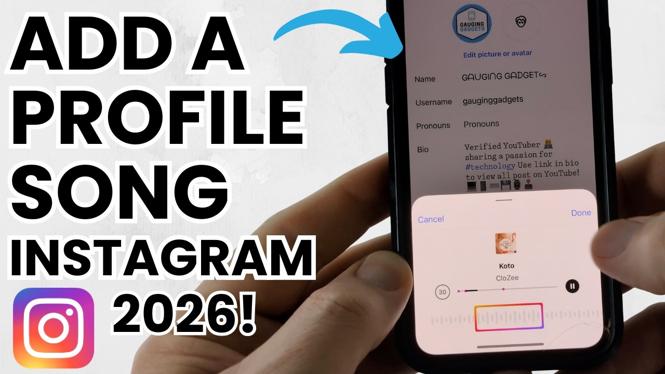
How to Add a Profile Song on Instagram
In 2026, social media continues to evolve, and one of the fun features that Instagram has integrated is the ability to add a profile song. This feature not only personalizes your profile but also helps express your personality and musical taste. Visitors to your profile will hear your selected song play automatically, making your account more engaging. Whether you’re an influencer, a musician, or just someone who wants to showcase their favorite tunes, knowing how to add a profile song on Instagram can enhance your followers’ experience.
Video Tutorial
Why You Might Be Looking for This Tutorial
Adding a profile song is a creative way to make your Instagram profile stand out. As users crave more personalized experiences, showcasing a song that’s meaningful to you can help attract followers who share your musical interests. Additionally, for musicians and content creators, integrating music into your profile can serve as a marketing tool, allowing fans to connect with your work on a deeper level. This tutorial will guide you through the simple steps to add, change, or remove a featured song on your profile, regardless of whether you’re using an iPhone, Samsung, or another Android device.
Steps to Add a Profile Song on Instagram
- Open Instagram: Launch the Instagram app on your device.
- Navigate to Your Profile: Tap on your profile picture in the bottom right corner to go to your profile.
- Edit Profile: Click on the “Edit Profile” button located near your profile picture.
- Find the Music Section: Look for the “Music” option in the menu that appears.
- Search for Your Song: In the music section, you can either browse popular songs or use the search function to find your desired track.
- Select the Song: Tap on the song that you want to feature, and you will see an option to add it to your profile.
- Save Changes: After confirming your selection, don’t forget to save your changes by tapping the “Done” or “Save” option.
Changing or Removing Your Profile Song
If you want to change or remove your profile song later, you can simply follow the same steps to navigate back to the music section and select a new song or choose to remove the existing one. This flexibility allows you to update your profile regularly and keep it fresh for your followers.
Conclusion
Adding a profile song to your Instagram is an enjoyable way to express yourself and connect with your audience. By following these simple steps, you can make your profile more appealing and memorable. Whether you want to share your favorite tunes or highlight your artistic persona, this feature is a perfect addition to your Instagram experience.
More Instagram Tutorials:
 Subscribe Now! 🙂

Discover more from Gauging Gadgets
Subscribe to get the latest posts sent to your email.