Where to get free PC games legally
You do not need to search random download sites to build a free PC game library. EA, Epic Games, Steam, and Google Play each list games you can download without paying. They work a little differently, so the useful part is knowing where each site keeps its free game section.
These sources include free-to-play games, free titles from major publishers, Epic Games giveaways, and Android games you can install on a Windows PC. Check the game page before installing, since it shows whether a specific title costs money.
Video Tutorial
Find free games on EA.com
EA.com is a good first stop for games published by EA. Its free-to-play page puts the available titles in one place, rather than making you search through paid releases. The Sims 4 is included in the free selection, along with other recognizable games.
- Go to EA.com.
- Select Games in the top menu.
- Open Games.
- Select Free to Play.
- Browse the list and open a game page for the title you want.
The free-to-play list is the quickest way to avoid sorting through EA’s full catalog. Once you find a game, use its game page to continue with the available download or installation process.
Use Epic Games Store filters
Epic Games offers popular free games such as Fortnite, Rocket League, and Fall Guys. It also provides free game giveaways, which can help you add more games to your library without buying them. The key is using the price filter on the browse page.
- Go to epicgames.com.
- Select Browse.
- Scroll down until you can see the filters in the right-side menu.
- Under Price, select Free.
- Review the filtered results and select a game that interests you.
This filter removes paid games from the results, so you can focus on titles available for free. Return to this section from time to time if you want to check for newly available games and giveaways.
Browse Steam’s free-to-play catalog
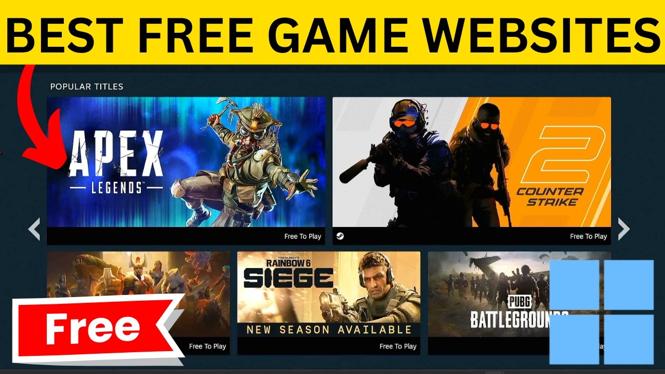
Steam is known for selling PC games, but it also has a large free-to-play catalog. You can get to it from the Steam website through the top navigation. From there, Steam gives you additional categories to narrow down the choices.
- Go to steampowered.com.
- Select Browse in the top menu.
- Look to the right for Top Destinations.
- Select Free to Play.
- Use the available categories if you want to narrow the list.
You will find many genres in Steam’s free section. PUBG: BATTLEGROUNDS is one example of a free game available there. Categories are helpful when the full list feels too broad and you already know the kind of game you want to play.
Install Android games through Google Play on Windows
Google Play is not limited to an Android phone. You can browse Google Play games for Windows and install supported games on your PC. This gives you another type of free game to consider, especially if you want Android games running on a Windows 11 or Windows 10 laptop or desktop.
- Go to play.google.com.
- Make sure Windows is selected.
- Scroll through the available games.
- Open a game to check its price.
- For a game you want, select Install on Windows.
- Follow the on-screen steps to install it on your PC.
Most of the games shown in this area are free, but checking the individual game page is still important. The page tells you if the title costs money before you install it.
Pick the right place to search first
Use EA.com when you want EA’s free-to-play games. Start with Epic Games when you want titles like Fortnite, Rocket League, or Fall Guys, and when you want to keep an eye on free giveaways. Steam is useful when you want the biggest range of free-to-play PC games and category filters. Google Play is the option for browsing Android games that install on Windows.
These sites give you several legitimate places to search without paying for a game. Open the free section or apply the free filter first, then verify the price on the title’s page before starting the installation.
More FREE PC Games:
 Subscribe Now! 🙂

Discover more from Gauging Gadgets
Subscribe to get the latest posts sent to your email.