How to Factory Reset AirPods 4
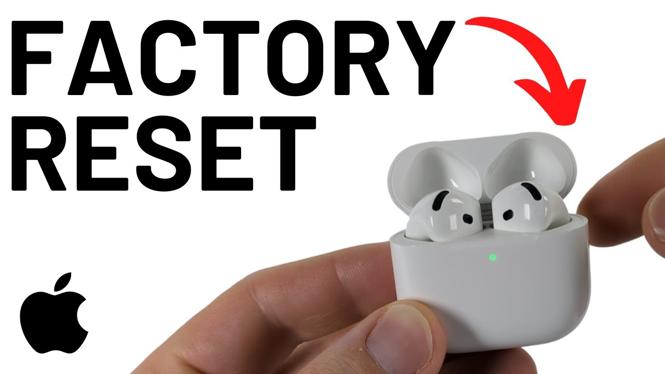
If your AirPods 4 are giving you trouble or if you’re preparing to sell them, a factory reset is a useful step to take. This process resolves various audio issues, disconnects your AirPods from your Apple ID, and clears previously connected devices, making them ready for a new user.
Video Tutorial
Why You Might Be Looking for This Tutorial
There are several scenarios where knowing how to factory reset AirPods 4 can be beneficial:
- Performance Issues: If you notice audio lag, connectivity drops, or battery drain, a reset may help restore their functionality.
- Preparing to Sell: It’s important to reset your AirPods to ensure the new owner can pair them with their devices without issues.
- Pairing with New Devices: Resetting your AirPods allows for a clean slate, ensuring they can connect seamlessly to a new iPhone, iPad, or even an Android device.
- General Maintenance: Sometimes, a simple reset can resolve minor troubleshooting issues that crop up over time.
Steps to Factory Reset AirPods 4
- Ensure Your AirPods Are Charged: Place your AirPods in the charging case and ensure they are charged.
- Open the Charging Case: With your AirPods inside, open the lid of the charging case to initiate the reset process.
- Press the Setup Button: Locate the small setup button on the back of the case. Press and hold this button for at least 15 seconds until you see the status light flash amber a few times, then flash white.
- Disconnect from Devices: On your iPhone or other connected devices, go to Bluetooth settings and select your AirPods to disconnect and remove them from the list of connected devices.
- Reconnect AirPods: Your AirPods are now reset. To pair them again, simply bring them close to your device and open the lid. Follow on-screen instructions to complete the pairing process.
By following these simple steps, you can successfully factory reset your AirPods 4, ensuring they are ready for any future use whether for yourself or a new owner.
More AirPods Tips & Tutorials:
 Subscribe Now! 🙂
1
/
3


How to Connect AirPods Pro 3 to Windows 11 - PC & Laptop
How to Connect AirPods Pro 3 to Any Android Phone
How to Use Live Translation with AirPods Pro 2
How to Download Languages for AirPods Live Translation
How to Connect AirPods Pro 3 to Chromebook
How to Use Live Translation With AirPods Pro 3
How to Take a Picture on iPhone with AirPods
How to Connect AirPods Pro 3 to Garmin Watch
Turn OFF AirPods Pro 3 Charging Case Sound - Disable AirPods Charging Tone
How to Put AirPods Pro 3 in Bluetooth Pairing Mode
How to Connect AirPods Pro 3 to Samsung Phone
How to Turn ON AirPods Camera Control
How to Factory Reset AirPods Pro 3
How to Fix Low Volume on AirPods Pro 3
How to Factory Reset AirPods 4
1
/
3
Discover more from Gauging Gadgets
Subscribe to get the latest posts sent to your email.