How to Factory Reset iPhone to Sell
When it comes time to sell your iPhone, ensuring that your personal data is completely wiped and the device is restored to its factory settings is crucial. Not only does this protect your privacy, but it also makes the device more appealing to potential buyers. In this blog post, we’ll walk you through the steps needed to safely factory reset your iPhone, so it’s ready for its new owner. Whether you’re upgrading to a new model like the iPhone 17 or simply parting ways with an older device, this tutorial will guide you through the process seamlessly.
Video Tutorial
Why You Might Be Looking for This Tutorial
There are several reasons you may be searching for a tutorial on how to factory reset your iPhone before selling it:
- **Privacy Concerns:** You want to protect your personal information from being accessed by someone else.
- **Value Retention:** A properly reset device is more attractive to buyers and can help you achieve a better price.
- **Setup for New Ownership:** You want to ensure that the next owner has a fresh starting point with the device.
- **Simplicity:** You want a clear, concise guide to follow so you don’t inadvertently miss any steps.
Step-by-Step Guide to Factory Reset Your iPhone
Step 1: Backup Your Data
Before you start, it’s essential to back up any important data. You can use iCloud or iTunes to save your photos, contacts, and other valuable information. This way, you won’t lose anything important once you reset your device.
Step 2: Sign Out of Your Apple ID
1. Go to Settings.
2. Tap on your name at the top of the screen.
3. Scroll down and select Sign Out.
4. Enter your Apple ID password and tap Turn Off for Find My iPhone.
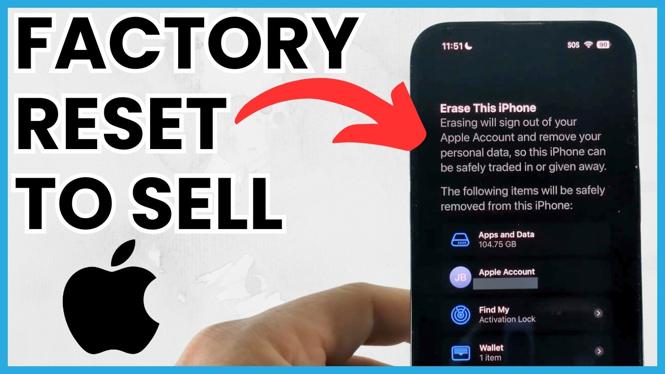
Step 3: Erase All Content and Settings
1. Go back to Settings.
2. Tap General.
3. Scroll down and select Reset.
4. Choose Erase All Content and Settings.
5. Confirm your selection and wait for the process to complete.
Step 4: Remove Activation Lock (if necessary)
If you have enabled Activation Lock, you need to ensure it is disabled:
1. Make sure to sign out of your Apple ID as described in Step 2.
2. Restart your iPhone to ensure all settings are reset.
Step 5: Prepare for Sale
Once your iPhone has been reset, it will display the welcome screen, just like a new device. You can now safely sell your iPhone without the worry of your personal data being accessed by the new owner.
By following these steps, you ensure that your device is ready for a new life without any traces of your personal information. Happy selling!
More iPhone Tips & Tutorials:
 Subscribe Now! 🙂

Discover more from Gauging Gadgets
Subscribe to get the latest posts sent to your email.