How to Unlink WhatsApp from Facebook
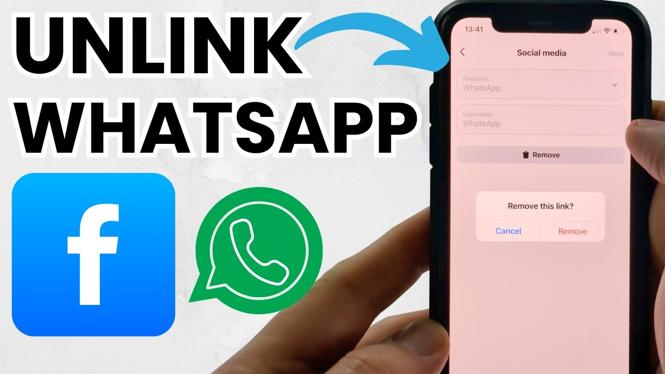
In an increasingly interconnected world, the integration of social media platforms can sometimes become overwhelming. If you’ve found yourself wanting a little more privacy or simply prefer to manage your messaging app separately from your social media, you may be asking how to unlink WhatsApp from Facebook. In this guide, we will walk you through the straightforward process to disconnect your WhatsApp account from Facebook.
Video Tutorial
Why You Might Be Looking for This Tutorial
There are several reasons you may want to disconnect WhatsApp from Facebook:
- Privacy Concerns: By unlinking WhatsApp from Facebook, you are taking an essential step toward enhancing your privacy. Your messages will no longer be associated with your Facebook profile.
- Control Over Associations: Many users prefer to keep their social media and messaging apps separate for a more organized digital life.
- Managing Notifications: Unlinking can reduce the number of notifications you receive, making it easier to manage your messages and social interactions.
- Personal Preference: Sometimes, users simply prefer to keep their accounts independent for personal or professional reasons.
Steps to Unlink WhatsApp from Facebook
- Open WhatsApp: Begin by launching the WhatsApp application on your smartphone.
- Go to Settings: Tap on the three dots in the upper right corner (for Android) or navigate to the bottom right for iPhone users. Select Settings.
- Navigate to Account: In the Settings menu, tap on Account.
- Select Linked Accounts: Find the option for Linked Accounts or Facebook and tap on it.
- Unlink Account: You will see the option to unlink your Facebook account. Confirm the action by tapping Unlink. Follow any additional prompts if necessary.
Congratulations! You have successfully unlinked your WhatsApp account from Facebook. This allows you to enjoy using WhatsApp independently of your Facebook profile.
Conclusion
Unlinking WhatsApp from Facebook is a simple process that enhances your control over your privacy and social media interactions. By following the steps outlined above, you can easily make this adjustment in just a few minutes. Take charge of your online presence and enjoy the benefits of a separated digital experience.
More Facebook Tips & Tutorials:
 Subscribe Now! 🙂

Discover more from Gauging Gadgets
Subscribe to get the latest posts sent to your email.