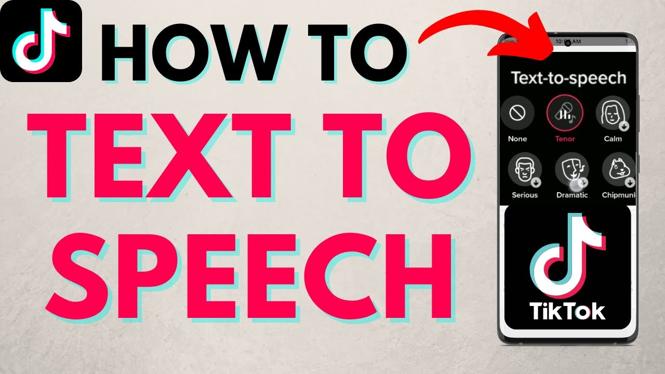
How to do test to speech on TikTok? In this tutorial, I show you how to use text to speech in your TikTok videos. I even show you how to change the voice used for TikTok text to speech so that your videos stand out and have a higher chance of going viral.
Do Text To Speech on TikTok(Video Tutorial):
Follow the steps below to use text to speech on TikTok:
- Open the TikTok app on your iOS or Android phone.
- Select the plus button to create a new video.
- Once you have filmed select the checkmark to save the clip.
- Select the Text icon and then type your desired text for Text to Speech. You can also change the look of the text.
- Move the text into your desired location on your TikTok video.
- Tap the text and then choose Text-to-speech.
- Select your desired voice for the Text to Speech. Swipe from right to left to see more.
More TikTok Tips & Tutorials:
 Subscribe Now! 🙂
1
/
6


How to Recover TikTok Account without Email or Phone Number - 2022
How to Block Someone on TikTok - 2023
How to Add Multiple Accounts on TikTok - iPhone & Android
How to Save TikTok Draft Video to Phone Gallery Without Posting
How to Download TikTok Videos on PC, Laptop, & Chromebook
How to Combine Videos on TikTok - Merge Multiple Tik Tok Videos
How to Unblock Someone on TikTok - 2023
How to See All Comment History on TikTok - View TikTok Comment History
How to Block Someone on TikTok - 2025 Update
How to Unprivate Your TikTok Account - Change TikTok Account Private to Public
How to Change Name on TikTok - 2024
How to Unfollow Someone on TikTok - iPhone & Android
How To Repost on TikTok
How to Remove a Repost on TikTok
How to Split a TikTok Video in the TikTok App - iOS & Android
1
/
6
Discover more from Gauging Gadgets
Subscribe to get the latest posts sent to your email.