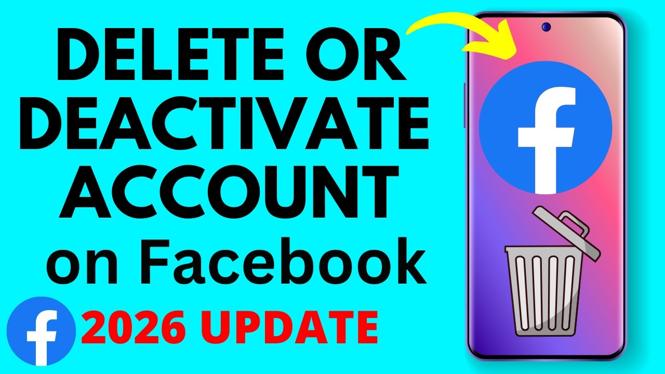
How to Deactivate or Delete Your Facebook Account
In today’s digital age, managing our online presence is crucial. Whether you’re feeling overwhelmed by social media or simply need a break, knowing how to temporarily deactivate or permanently delete your Facebook account is essential. This guide will walk you through the updated steps for 2026, ensuring you can navigate the latest settings with ease.
Video Tutorial
Why You Might Be Looking for This Tutorial
There are several reasons why you might be considering deactivating or deleting your Facebook account. Perhaps you’re seeking to take a break from social media, reducing your screen time, or focusing on real-life interactions. Alternatively, you might feel it’s time to remove the platform completely due to privacy concerns or a desire to simplify your digital footprint. Whatever the reason, this guide ensures you can make the transition smoothly.
Steps to Deactivate Your Facebook Account
- Log in to your Facebook account.
- Click on the arrow in the top right corner to access the drop-down menu.
- Select “Settings & Privacy,” then click on “Settings.”
- In the left sidebar, select “Your Facebook Information.”
- Click on “Deactivation and Deletion.”
- Select “Deactivate Account,” then click “Continue to Account Deactivation.”
- Follow the prompts to confirm your decision.
Steps to Permanently Delete Your Facebook Account
- Log in to your Facebook account.
- Click on the arrow in the top right corner of the screen.
- Select “Settings & Privacy,” then choose “Settings.”
- Navigate to “Your Facebook Information” in the left sidebar.
- Click on “Deactivation and Deletion.”
- Select “Delete Account,” then click “Continue to Account Deletion.”
- Follow the on-screen instructions to permanently delete your account. Please note that this action is irreversible.
Conclusion
Managing your Facebook account can greatly impact your online experience. Whether you wish to take a short break or leave the platform for good, understanding how to properly deactivate or delete your account is crucial. Follow the steps outlined in this tutorial, and take control of your social media presence today.
More Facebook Tips & Tutorials:
 Subscribe Now! 🙂

Discover more from Gauging Gadgets
Subscribe to get the latest posts sent to your email.