How to Speed Up a Video in CapCut Mobile App
Videos have become an essential part of social media, and the ability to manipulate their speed can take your content to the next level. Whether you’re looking to create time-lapses, add dramatic effects, or simply make quick transitions, understanding how to speed up a video in CapCut is an invaluable skill. In this tutorial, we will guide you through the steps to adjust video playback speed in the CapCut mobile app on both iPhone and Android devices.
Video Tutorial
Why You Might Be Looking for This Tutorial
As a content creator, you may be searching for ways to enhance your videos and engage your audience. Speeding up video playback can help you:
- Create captivating time-lapse videos that showcase long processes in a short timeframe.
- Add excitement to your clips with fast motion effects.
- Utilize quick transitions to maintain viewer interest in platforms like TikTok, Instagram Reels, and YouTube Shorts.
- Simplify complex ideas by condensing lengthy clips into brief segments.
Steps to Speed Up a Video in CapCut
- Open CapCut: Launch the CapCut app on your mobile device. If you haven’t installed it yet, download it from the App Store or Google Play Store.
- Create a New Project: Tap on “New Project” and select the video you want to speed up from your gallery.
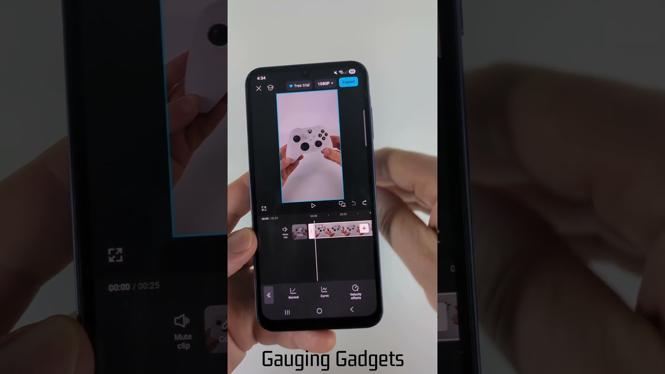
- Access the Speed Tool: Once your video is loaded, tap on the video clip in the timeline. Then look for the “Speed” option in the toolbar at the bottom.
- Adjust Speed Settings: In the speed settings, move the slider to the right to increase the playback speed. You can preview the changes in real time.
- Review Your Edits: Play the video to review the speed adjustments. Make sure the changes fit the atmosphere of your content.
- Export Your Video: Once you are satisfied with the speed, tap on the export button at the top right corner and save your video to your device.
Conclusion
Speeding up a video in the CapCut mobile app is a straightforward process that can significantly enhance your video content. Whether you are creating dynamic social media posts or just want to experiment with video styles, knowing how to adjust playback speed will provide you with more creative options. Don’t forget to check out the video tutorial for a visual guide, and start experimenting with different speeds to find what works best for your footage!
More CapCut Tips & Tutorials:
 Subscribe Now! 🙂

Discover more from Gauging Gadgets
Subscribe to get the latest posts sent to your email.