How to Delete Gamepass on Roblox
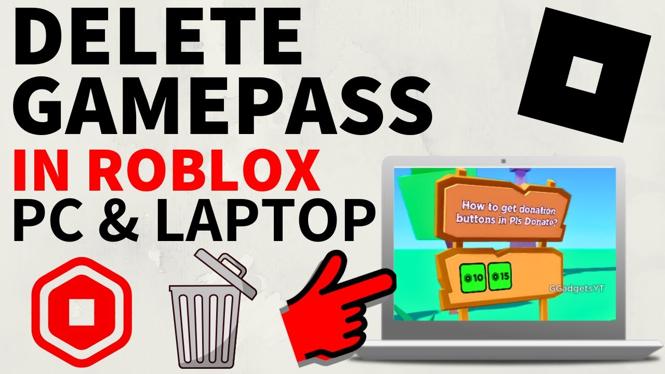
Deleting a Gamepass on Roblox is an essential skill for any user wanting to maintain an organized game inventory. Gamepasses can take up valuable space and may not always serve their intended purpose. Whether you are a seasoned Roblox game creator or a casual player, learning how to remove unwanted Gamepasses is crucial for optimizing your experience on the platform. In this guide, we will walk you through the straightforward steps to delete a Gamepass using the updated Creator Hub, applicable across various devices including PC, Mac, iPad, Laptop, and Chromebook.
Video Tutorial
Why You Might Be Looking for This Tutorial
Gamepasses can clutter your inventory, making it difficult to navigate and manage your assets. You may find that you have purchased Gamepasses that you no longer use or that you want to streamline your offerings in games like Pls Donate, Adopt Me, or Blox Fruits. Learning how to delete these passes can help you organize your game space efficiently and enhance your overall gameplay experience. Additionally, if you’re a developer, removing unnecessary Gamepasses can improve your game’s presentation and user experience.
Steps to Delete a Gamepass on Roblox
- Log into Roblox: Start by accessing your Roblox account on your preferred device.
- Navigate to the Creator Hub: Locate the Creator Hub from the menu, which often can be found in the ‘Develop’ section on the Roblox homepage.
- Select the Gamepass: In the Creator Hub, look for the Gamepasses option. You will find a list of all the Gamepasses associated with your games. Click on the Gamepass you wish to delete.
- Delete the Gamepass: Look for the option to delete or remove the Gamepass. Confirm your decision when prompted to ensure that you want to proceed with the deletion.
- Check Your Inventory: After deletion, go back to your inventory to ensure that the Gamepass has been successfully removed.
By following these steps, you will efficiently delete any Gamepasses that are no longer needed, keeping your Roblox experience clean and organized. Enjoy your streamlined gameplay and the newfound freedom in managing your Gamepasses!
More Roblox Tips & Tutorials:
 Subscribe Now! 🙂

Discover more from Gauging Gadgets
Subscribe to get the latest posts sent to your email.