How to Check Deleted Messages on iPhone
In today’s digital age, staying connected through text messages is essential. However, there are times when we accidentally delete important messages from our iPhones. Whether it’s a sentimental conversation with a loved one or crucial information from a business contact, losing these messages can be frustrating. Fortunately, with advancements in technology and iOS updates, there are effective ways to recover deleted messages on your iPhone.
Video Tutorial
Why You Might Be Looking for This Tutorial
You may find yourself searching for ways to check deleted messages on your iPhone for various reasons. Perhaps you accidentally deleted a critical text and are desperate to recover it. You might also be curious about how the recovery process works, especially with new iPhone models such as the iPhone 17 and 16, which come loaded with iOS 26 features. Regardless of your motivation, this guide will help you navigate the message recovery process efficiently, without the need for any third-party applications or intricate technical know-how.
Steps to Check Deleted Messages on iPhone
- Check iCloud Backup: If you back up your iPhone to iCloud, check your backup settings. Go to Settings > your name > iCloud > Manage Storage > Backups. Ensure that your device is backing up regularly.
- Restore from iCloud Backup: To recover deleted messages, you may need to restore your iPhone from an iCloud backup that includes the messages. Go to Settings > General > Reset > Erase All Content and Settings. After erasing, set up your iPhone and choose to restore from an iCloud backup.
- Check iMessages: Sometimes, iMessages can appear deleted on one device but still exist on another. If you use multiple Apple devices, check your other devices linked to the same Apple ID.
- Review Carrier Services: Contact your mobile carrier to inquire if they provide any message recovery services or a backup option. Some carriers keep records of text messages for a limited time.
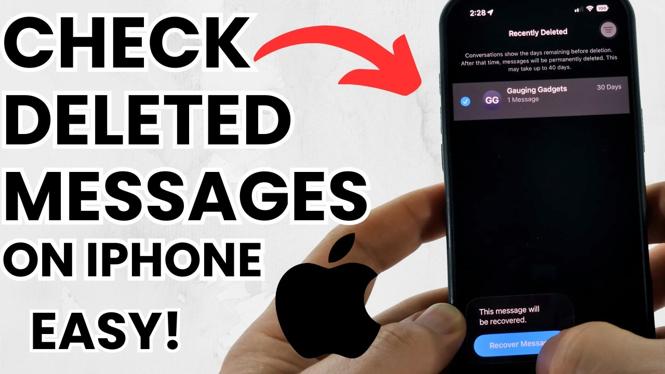
- Utilize the ‘Recently Deleted’ Folder: If you were using the Messages app on an iPhone model that supports iOS 26, check to see if your deleted messages are in the ‘Recently Deleted’ section, which may allow for easier recovery.
Following these steps can help you recover those important conversations that you thought were lost forever. Always remember to routinely back up your iPhone to avoid the stress of dealing with deleted messages in the future.
More iPhone Tutorials:
 Subscribe Now! 🙂

Discover more from Gauging Gadgets
Subscribe to get the latest posts sent to your email.