How to Cancel Your Instacart Subscription
Are you looking to cancel your Instacart subscription or Instacart+ membership? Whether you no longer need grocery delivery services, are looking to save money, or simply want to manage your subscriptions better, canceling your Instacart account can be done effortlessly. This guide will provide you with clear steps to follow and ensure you can easily stop any future charges.
Video Tutorial
Why You Might Want to Cancel Your Instacart Subscription
There are several reasons why you may be considering canceling your Instacart subscription:
- Financial Savings: If you’re looking to cut down on monthly expenses, canceling your subscription can help you save money.
- Changing Needs: Your grocery shopping habits may have changed, making the service less relevant to your current lifestyle.
- Quality of Service: If you’ve experienced dissatisfaction with the service quality, it may be time to explore other options.
- Convenience: If you have found more convenient alternatives for grocery shopping that better fit your schedule.
Steps to Cancel Your Instacart Subscription
Here’s a step-by-step guide on how to cancel your Instacart subscription on both the mobile app and desktop browser:
Canceling via Mobile App
- Open the Instacart app on your mobile device and log into your account.
- Tap on the profile icon located in the bottom right corner of the screen.
- Select “Your Account” from the menu options.
- Scroll down and tap on “Manage Membership” or “Instacart+.”
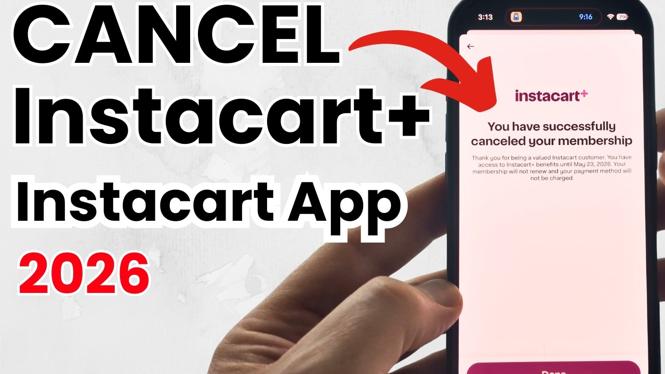
- From there, choose the option to cancel your membership.
- Follow the prompt and confirm your cancellation.
Canceling via Desktop Browser
- Visit the Instacart website and log into your account.
- Click on the profile icon at the top right corner of the page.
- Select “Your Account” from the drop-down menu.
- On the account management page, find “Manage Membership” or “Instacart+.”
- Click on the cancellation option and confirm that you wish to cancel your subscription.
Conclusion
Canceling your Instacart subscription doesn’t have to be a complicated process. By following the steps outlined in this guide, you can manage your account on your own and ensure that you stop any unexpected charges. Whether you are reassessing your grocery shopping needs or exploring new services, taking control of your subscriptions is a smart move. If you need further assistance, refer to the video tutorial above for additional guidance.
More tutorials
 Subscribe Now! 🙂
Discover more from Gauging Gadgets
Subscribe to get the latest posts sent to your email.