Free movie apps you can use without a subscription
You can watch full-length movies on your iPhone without paying for a monthly streaming service. The apps covered here offer free, ad-supported content, and the options shown do not require you to create an account before browsing or starting a movie.
Movie libraries change often, so a title you see in one app may not remain available forever. Still, these apps give you several ways to browse on-demand movies, TV shows, live channels, and kids content from your iPhone.
Video Tutorial
Use Sling for on-demand movies
Sling is commonly known for live streaming, but its app also includes free on-demand content. You can get to the movie and TV library directly from the bottom navigation.
- Open the Sling app on your iPhone.
- Select On Demand at the bottom of the screen.
- Browse the available movies and TV shows.
- Check the kids section if you want family-focused content.
The free on-demand section is available without creating an account or signing in. This makes Sling a useful first option when you want to start browsing quickly.
Choose the right Fandango app
Fandango has more than one iPhone app, so make sure you install the app for movies and series, not the movie ticket app. The free content area is easy to find once you are in the correct app.
- Open the Fandango movies and series app.
- Select Free in the bottom menu.
- Browse the free movie and TV show listings.
- Select a title to begin watching.
You do not need to create an account for the free section shown here. If you only see ticket-buying features, check that you installed the movies and series app rather than the ticket-focused version.
Browse Tubi movies and live TV
Tubi has a large selection of free movies. It also includes live TV, so you can switch between choosing a specific title and browsing available channels.
- Open the Tubi app.
- Select Movies at the top of the screen.
- Scroll through the movie list and categories.
- Select a movie you want to watch.
You can also select Live TV at the bottom to see its live programming. No sign-up is required to browse and watch the free content demonstrated in the app.
Find on-demand titles in Pluto TV
Pluto TV is another app often used for live channels, but its on-demand section has a large movie library. If you are looking for a particular type of movie instead of a channel, this is the part of the app to use.
- Open the Pluto TV app.
- Select On Demand.
- Browse the available movie selections.
- Choose a title to start streaming.
Pluto TV includes many recognizable movies alongside its live channel lineup. Its on-demand area is a good place to check when you want more choices than a live schedule provides.
Use Fawesome for category browsing
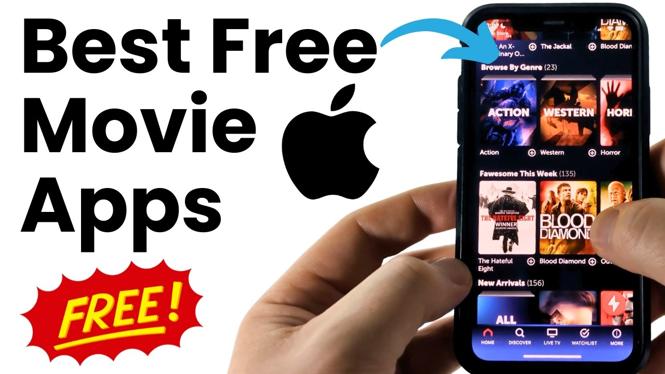
Fawesome keeps things simple. Its home page organizes movies into categories, which helps when you know the kind of movie you want but do not have a specific title in mind.
- Open the Fawesome app.
- Stay on the home page to view the available categories.
- Choose a category or movie that interests you.
- Select the title to watch it.
You do not need an account to access the free movies shown in Fawesome. Browse through a few categories to see what is currently available.
Check YouTube’s free movies section
YouTube is not only for creator videos. The iPhone app also has movies available for free with ads. You do not need YouTube Premium to watch titles marked as free or free with ads.
- Open the YouTube app.
- In the top section, scroll left until you find the diamond icon with a circle around it.
- Select that icon, then choose Movies & TV.
- Find the Free or Free with ads section.
- Give the page a moment to load, then choose a movie.
The free selection can include well-known movies, such as Couples Retreat. Ads support the free titles, so expect ad breaks while watching.
Pick the app that fits how you watch
Start with Sling or Pluto TV if you want both live content and on-demand choices. Use Tubi when you want a large movie list, or Fawesome when you prefer browsing by category. Fandango provides another dedicated free movie and series section, while YouTube is useful when you already have the app installed.
All of these options provide free content, but their catalogs differ. Check more than one app if you cannot find a movie you want right away.
More iPhone Tips & Tutorials:
 Subscribe Now! 🙂

Discover more from Gauging Gadgets
Subscribe to get the latest posts sent to your email.