How to Bold Text on YouTube Comments
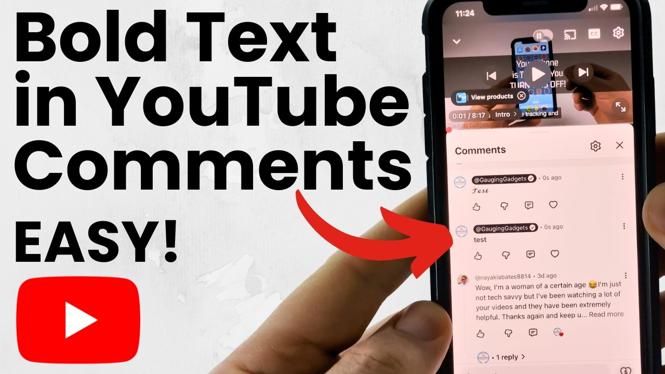
In the fast-paced world of online interactions, standing out from the crowd can be a challenging task, especially in the comment sections of YouTube videos. One of the easiest and most effective ways to grab attention is by bolding your text. This tutorial will guide you through the steps to bold text in YouTube comments on both mobile devices and desktop computers, using TextTrick.com and other simple methods. By following this guide, you will not only learn to format your comments but also engage more effectively with your audience.
Video Tutorial
Why You Might Be Looking for This Tutorial
Many users of YouTube are eager to enhance their comments to make them more engaging and visible among a sea of text. Commenting is a social activity that reflects one’s personality or opinions, and adding formatting like bold text can emphasize important points, convey enthusiasm, or simply make your comments more readable. Whether you’re a content creator looking to connect with your viewers or just an active commenter wanting to make a lasting impression, understanding how to bold text can elevate the quality of your interactions.
Steps to Bold Text in YouTube Comments
Method 1: Using TextTrick.com
- Open your browser and navigate to TextTrick.com.
- Enter the text you want to bold in the provided text box.
- Select the bold text option, which will automatically format your text.
- Copy the formatted bold text from the output box.
- Go to YouTube and navigate to the video where you want to leave a comment.
- Paste the bolded text into the comment section.
- Submit your comment and see it stand out!
Method 2: Bold Text on Mobile Devices
- Open the YouTube app on your mobile device.
- Navigate to the video you wish to comment on.
- Tap on the comment section and type your message.
- To bold specific words or phrases, you can use the same method as above by formatting your text through TextTrick.com before pasting it here.
- Submit your comment to see the changes.
Tips for Effective Commenting
- Be concise yet expressive in your comments.
- Use bold text sparingly to emphasize key points and avoid overwhelming your readers.
- Engage with other commenters by responding to their thoughts and asking questions.
- Always be respectful and adhere to community guidelines.
Conclusion
Bolding text in YouTube comments is a simple yet effective way to make your comments more noticeable and engaging. By following the methods outlined in this tutorial, you can enhance your online presence and interact more meaningfully with other users. Remember that effective communication is not just about what you say, but how you present it. Happy commenting!
More YouTube Tips & Tutorials:
 Subscribe Now! 🙂

Discover more from Gauging Gadgets
Subscribe to get the latest posts sent to your email.